


Most small business owners struggle with QuickBooks because they’ve never received proper training. At Clear View Business Solutions, we’ve seen firsthand how a few hours of hands-on learning transforms how companies manage their finances.
This guide walks you through the essential features, from setting up your company file to automating tasks that waste your time. You’ll learn practical steps to keep your data clean and your financial reports accurate.
Most business owners feel overwhelmed when they first open QuickBooks because nobody explains what they’re looking at. The dashboard presents multiple views, and jumping between them without understanding their purpose leads to costly mistakes. Spend 20 minutes learning navigation before you enter any data.
The Business View in QuickBooks Online displays your financial snapshot at the top, with key metrics like profit and loss, cash balance, and accounts receivable aging. These numbers tell you whether your business is healthy right now. The Accounting View sits below and contains the detailed ledgers where transactions live. Most small business owners flip between these views constantly, so knowing which one answers which question prevents expensive errors.
When you first log in, skip the setup wizard that appears. Instead, go to Settings and review your company information, fiscal year, and accounting method. Your accounting method matters far more than most people realize. If you select cash basis accounting, you record income when money arrives and expenses when you pay them. Accrual basis records both when the transaction happens, regardless of payment timing. Most businesses with inventory or significant accounts receivable should use accrual, while service businesses can often use cash. Selecting the wrong method early means you’ll rebuild your entire chart of accounts later.
Your chart of accounts forms the skeleton of your financial reporting. Too many accounts and you’ll waste hours categorizing transactions. Too few and your reports tell you nothing useful. Try starting with 30 to 50 accounts maximum, organized into five categories: assets, liabilities, equity, income, and expenses.
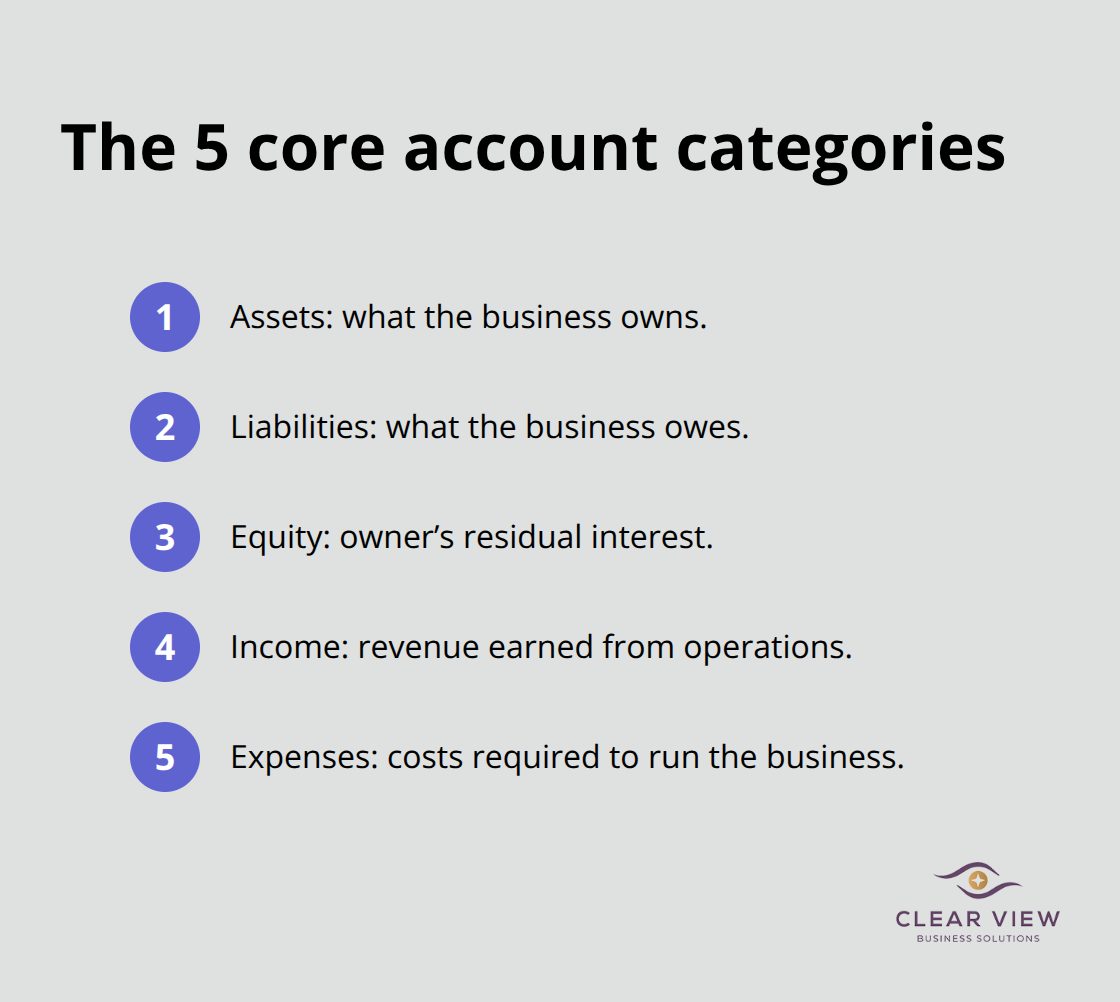
Within expenses, create main categories like Cost of Goods Sold, Payroll, Rent, Utilities, and Office Supplies, then add subcategories only if you need to track spending separately for tax or business decisions. If you claim home office deductions, create a specific Home Office account. If you have multiple revenue streams that need separate tracking, create separate income accounts. Don’t create accounts for things you’ll never analyze.
QuickBooks lets you import data from Excel or other systems, which saves time if you’re migrating from another platform. The key is getting your account structure right before you start recording transactions, because changing it later means reclassifying everything you’ve already entered. Test your setup with sample transactions first using QuickBooks Online’s practice environment, which lets you explore without affecting real data.
Once your chart of accounts is complete and tested, you’re ready to start recording actual transactions. The next step involves understanding how to record the transactions that matter most to your business-your invoices, expenses, and bank reconciliations.
Your chart of accounts is ready. Now comes the part where QuickBooks either becomes your greatest business tool or your biggest headache. Most business owners fail here because they treat transaction entry like data entry instead of financial storytelling. Every invoice, expense, and bank connection tells a story about your business’s health.
When you record an invoice, QuickBooks Online sends it directly to customers and automatically tracks what they owe you. The platform records the income immediately if you use accrual accounting, which means your profit and loss report reflects reality even if the customer hasn’t paid yet. This matters because your actual financial position is what banks see when you apply for loans, not what’s sitting in your checking account.
Set up automatic reminders for invoices unpaid after 30 days-QuickBooks can send these for you without manual work. Research from financial management experts shows that accounts receivable tracking automation works in the background, executing repetitive tasks accurately and significantly faster than manual processes. When customers do pay, connect your bank account to QuickBooks so deposits match automatically instead of you manually recording each one. This real-time connection eliminates the biggest source of data entry errors and saves roughly five hours per month in reconciliation work.
Expense tracking works the same way but in reverse. Your business likely has bank feeds already set up, which means QuickBooks can see every transaction your business makes. Instead of uploading receipts or categorizing expenses manually, the software learns your patterns and suggests categories for new transactions.
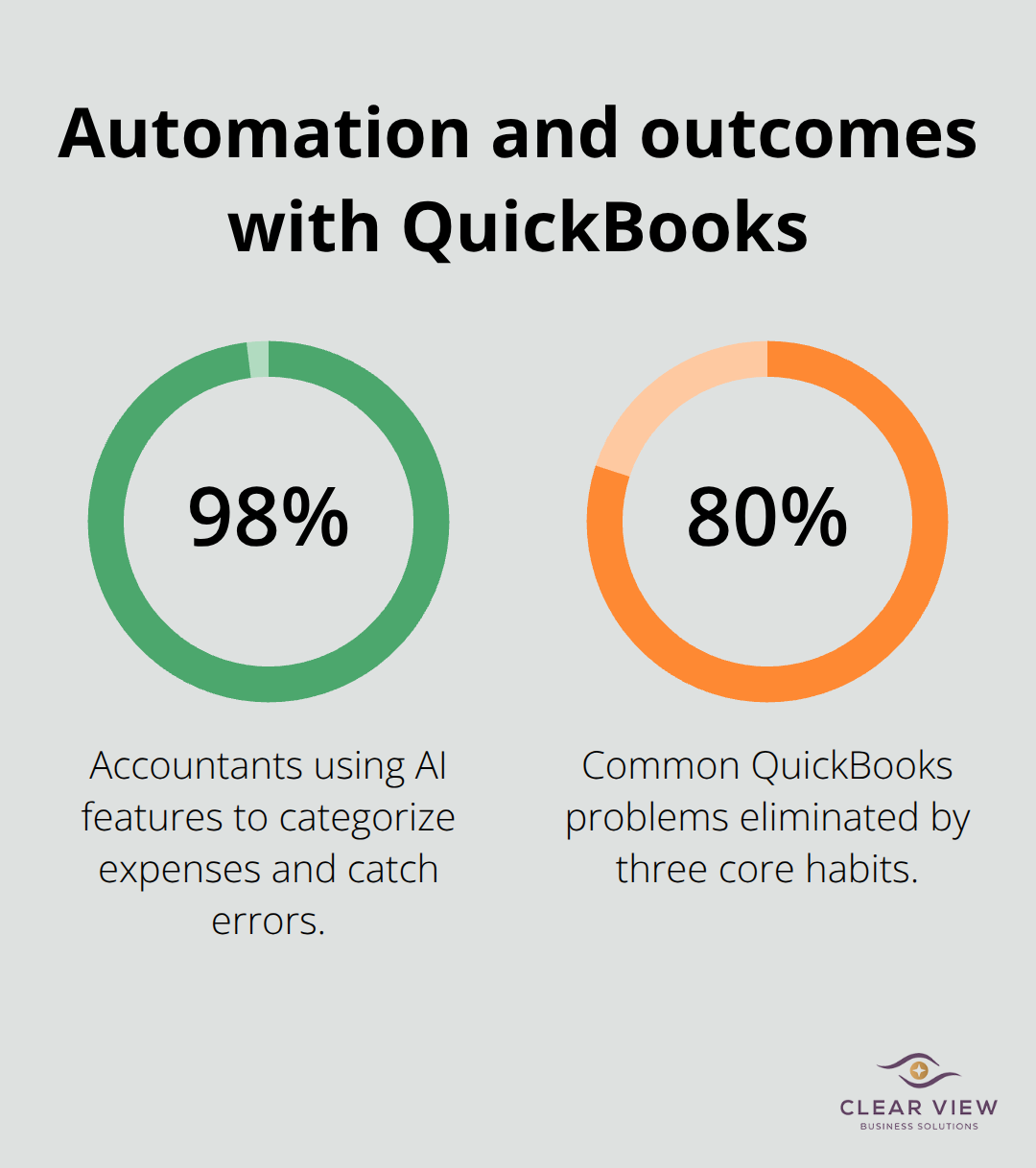
When you pay a bill, QuickBooks records it as a liability first, then as an expense when it’s due. This separation matters because it shows what you actually owe versus what you’ve already spent. The 2024 Intuit QuickBooks Accountant Technology Survey found that 98 percent of accountants now use AI-powered features to categorize expenses and catch errors, which means your training should include how to review these AI suggestions rather than accepting them blindly.
Reconciling your bank accounts monthly is non-negotiable, and QuickBooks makes this straightforward by matching cleared transactions against your records. Most small business owners skip this step, which means they never know if they’ve been charged incorrectly or if money is missing. Set a calendar reminder for the fifth business day after month-end and spend 30 minutes matching transactions. This discipline catches fraud early, prevents overdrafts, and gives your accountant clean data to work with at tax time.
Once you master these three transaction types-invoices, expenses, and reconciliations-you’ll have the foundation to run accurate financial reports that actually guide your business decisions.
The difference between QuickBooks users who love the software and those who abandon it comes down to one thing: automation. Most small business owners treat QuickBooks like a filing cabinet when they should treat it like an employee that works while they sleep. Once you’ve built your chart of accounts and started recording transactions, the real power emerges when you stop doing repetitive work manually.
Set up bank feeds for every account your business uses, then configure rules that automatically categorize transactions based on patterns QuickBooks learns from your entries. If you pay rent to the same landlord every month, QuickBooks will suggest the rent expense category on future payments, eliminating manual categorization. QuickBooks tries to update your bank transactions automatically every 24 hours, which means you’re leaving money on the table if you’re not using these tools.
Enable automatic invoice reminders so customers receive payment notices without you lifting a finger, and connect your bank account so deposits post themselves instead of requiring manual entry. These automations eliminate the biggest source of data entry errors. Your financial reports are only as good as the data feeding them, which is why maintaining clean information matters more than reporting frequency.
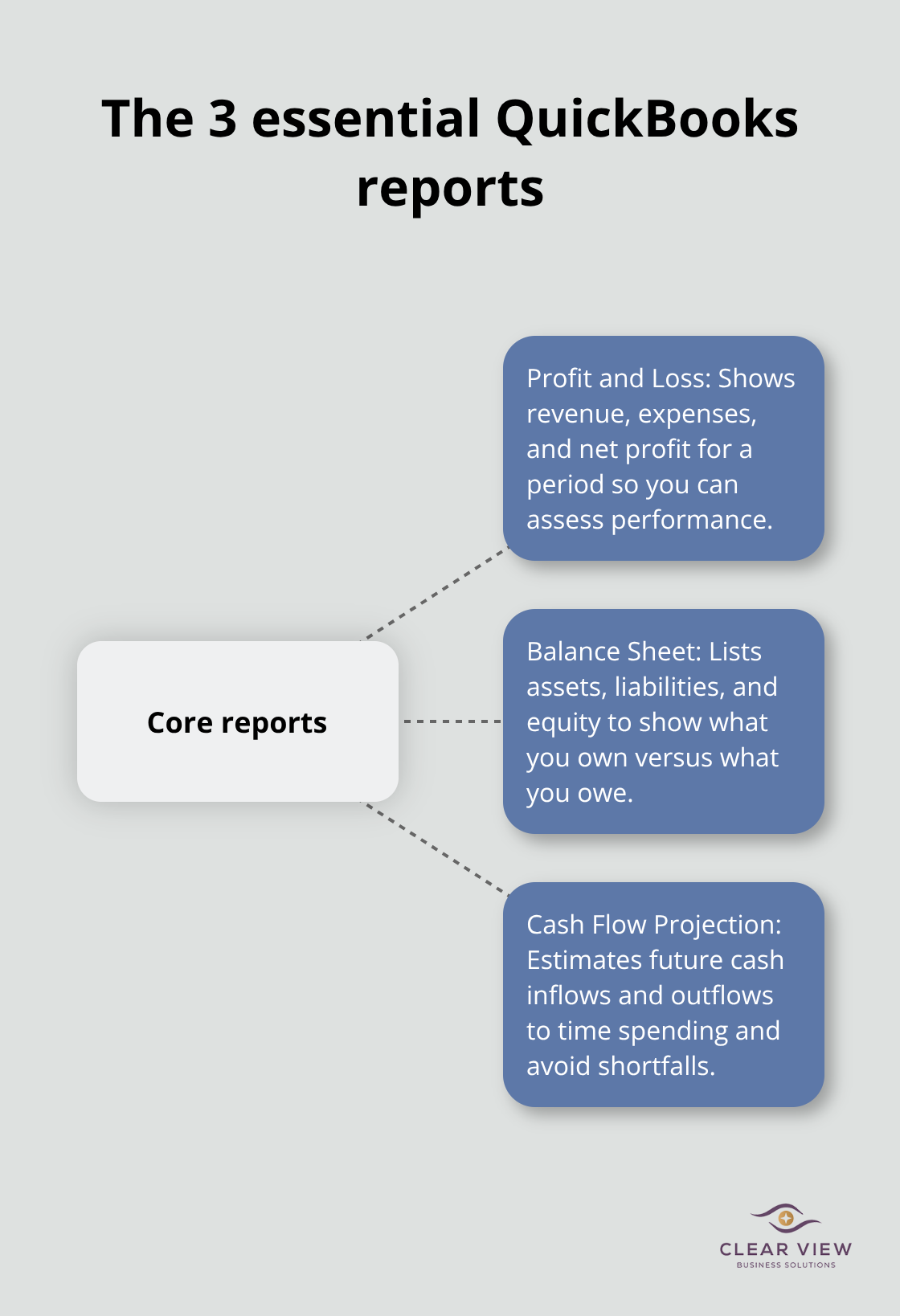
Running financial reports in QuickBooks takes seconds, but most small business owners never look at them because they don’t understand what they’re reading. Try focusing on three reports: your profit and loss statement monthly, your balance sheet quarterly, and your cash flow projection when making spending decisions.
Your profit and loss shows whether you’re actually making money after expenses, your balance sheet shows what you own versus what you owe, and your cash flow projection tells you whether you’ll have cash when bills are due. These three answers guide every business decision worth making. If your profit and loss looks healthy but your cash flow is tight, you might have customers who haven’t paid you yet, which means pursuing collections becomes urgent. If your balance sheet shows growing debt without corresponding asset growth, you’re financing operations with borrowed money instead of profits.
Pull these reports monthly and spend 15 minutes understanding what changed from last month, then ask yourself why. This discipline transforms QuickBooks from a tax compliance tool into an actual business management system that guides your decisions rather than just recording history. The patterns you notice in your reports reveal where your business is heading, not where it’s been.
QuickBooks training transforms how small business owners manage their finances, but only if you apply what you learn. The foundation matters most: get your chart of accounts right, automate your bank feeds, and reconcile monthly. These three habits eliminate 80 percent of the problems we see with struggling QuickBooks users.
Your next step depends on where you are now. If you’re just starting, spend a few hours learning your dashboard and building your account structure before you enter real data. If you’re already using QuickBooks but feel lost, focus on automating one process at a time rather than overhauling everything at once. Start with bank feeds, then move to invoice reminders, then tackle expense categorization.
The reality is that QuickBooks training alone isn’t always enough-your accountant or bookkeeper should review your setup to catch structural problems early. At Clear View Business Solutions, we work with small business owners in Tucson who want their finances organized and their tax position optimized. Visit Clear View Business Solutions to discuss how we can help you master QuickBooks and build a financial system that actually works for your business.
At Clear View Business Solutions, we know you want your business to prosper without having to worry about whether you are paying more in taxes than you should or whether your business is set up correctly. The problem is it's hard to find a trusted advisor who can translate financial jargon to layman's terms and who can actually help you plan for better results.
We believe it doesn't have to be this way! No business owner should settle for working with a CPA firm that falls short of understanding what you want to achieve and how to help you get there.
Northwest Location:
7530 N. La Cholla Blvd., Tucson, AZ 85741
Central Location:
2933 N Campbell Avenue, Tucson, AZ 85719
© 2026 Clear View Business Solutions. All Rights Reserved.
At Clear View Business Solutions, we know you want your business to prosper without having to worry about whether you are paying more in taxes than you should or whether your business is set up correctly. The problem is it's hard to find a trusted advisor who can translate financial jargon to layman's terms and who can actually help you plan for better results.
We believe it doesn't have to be this way! No business owner should settle for working with a CPA firm that falls short of understanding what you want to achieve and how to help you get there. With over 20 years of experience serving hundreds of business owners like you, our team of experts combines financial expertise and proactive communication with our drive to help each client achieve results and have fun along the way.
Here's how we do it:
Discover: We start with a consultation to understand your specific goals, what's holding you back, and what success looks like for you.
Strategize & Optimize: Together, we design a customized strategy that empowers you to progress toward your goals, and we optimize our communication as partners.
Thrive: You enjoy a clear view of your business and your financial prosperity.
Schedule a consultation today, and take the first step toward being able to focus on your core business again without wondering if your numbers are right- or what they mean to your business.
In the meantime, download, "The Business Owner's Essential Guide to Tax Deductions" and make sure you aren't leaving money on the table.