

QuickBooks setup training in Tucson helps business owners get their finances organized from day one. Many Tucson businesses waste hours on manual accounting tasks that QuickBooks can automate in minutes.
At Clear View Business Solutions, we’ve seen firsthand how proper setup prevents costly errors and saves thousands in accounting fees. This guide walks you through the essential steps to get QuickBooks working for your business.
Proper QuickBooks setup transforms how Tucson business owners manage finances. Without it, you’re stuck manually entering data, reconciling accounts by hand, and hoping nothing falls through the cracks. QuickBooks automation streamlines the financial management process, saving small business owners significant time for tackling other priorities. That’s a full work week dedicated to data entry alone. QuickBooks cuts that time dramatically when configured correctly from the start.
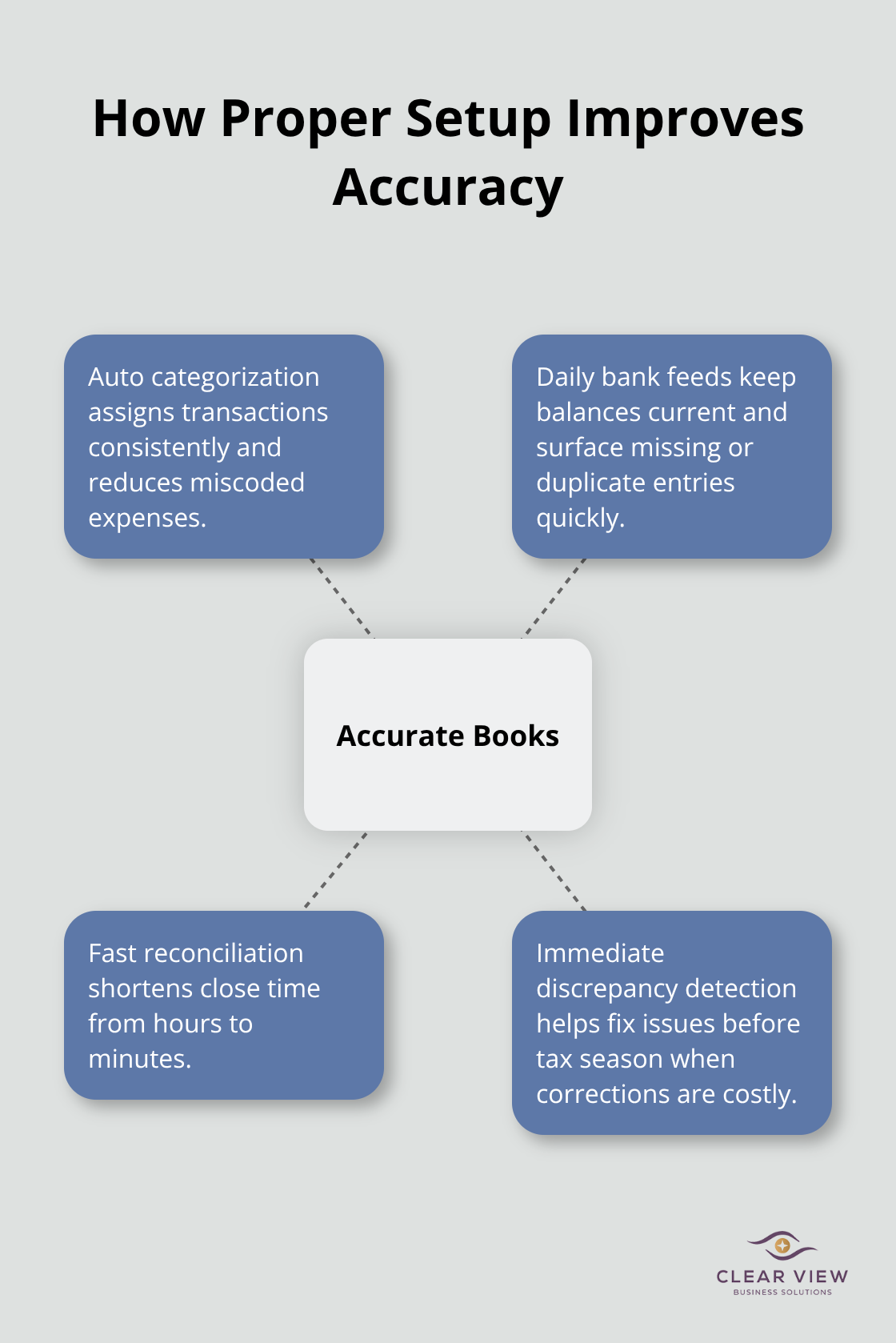
Manual accounting creates errors that compound over time. A single misclassified expense or missed transaction throws off your entire year-end tax picture. Financial accuracy matters because inaccurate bookkeeping can result in missed deductions, under-reported income, or incorrect filings-each of which can trigger audits and penalties. When QuickBooks is set up properly, transactions categorize automatically, bank feeds sync daily, and reconciliation happens in minutes instead of hours. Your financial records reflect reality, not guesswork. You catch discrepancies immediately rather than discovering them during tax season (when corrections become expensive and complicated).
The hours monthly that disappear into bookkeeping represent money you could spend on actual business development. For a business owner billing at even $50 per hour, that’s significant monthly waste on manual accounting. Over a year, that adds up substantially in lost productivity. QuickBooks automation handles invoice tracking, expense categorization, and financial reporting with minimal intervention once it’s configured correctly. Tucson business owners who invest in proper setup spend less than five hours monthly on routine bookkeeping tasks. That difference frees you to focus on customer acquisition, product improvement, and strategic decisions that actually grow your business.
Getting QuickBooks right from the beginning matters more than most business owners realize. The initial configuration determines whether your system works for you or against you. A poorly configured chart of accounts, disconnected bank feeds, or misaligned tax categories (all common mistakes) create problems that multiply throughout the year. The good news: you don’t have to figure this out alone. Professional QuickBooks training ensures your system works efficiently from day one, saving you from costly mistakes and countless hours of frustration later.
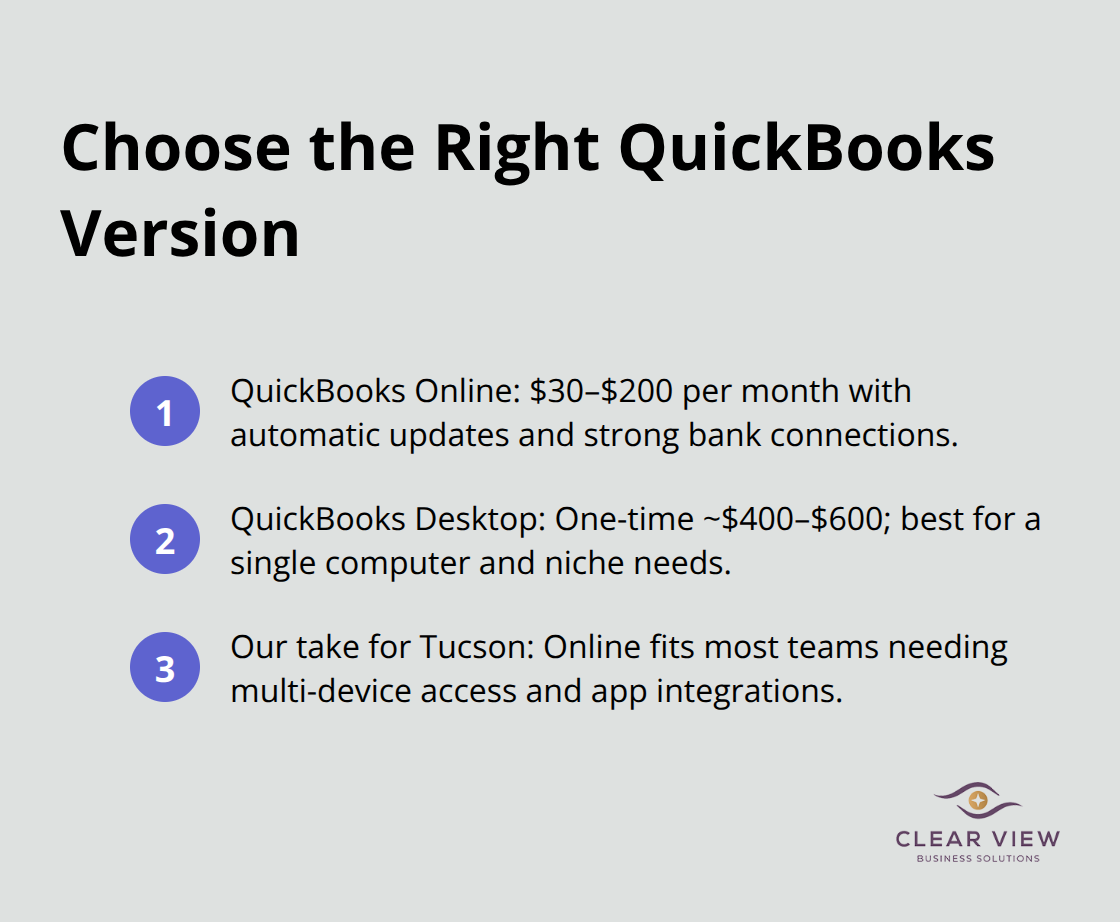
Choosing between QuickBooks Online and QuickBooks Desktop depends entirely on how your Tucson business operates. QuickBooks Online costs between $30 and $200 monthly depending on features, while Desktop requires a one-time purchase around $400 to $600. Online works better if you need access from multiple locations or devices, which most modern businesses do. Desktop makes sense only if you have specific industry requirements or work entirely from one computer. We recommend Online for most Tucson businesses because it automatically updates, handles bank connections more reliably, and integrates with hundreds of apps you likely already use.
Your chart of accounts determines whether QuickBooks actually works for your business or becomes a frustrating mess. This framework organizes every transaction, so getting it wrong early means reclassifying thousands of entries later. Most business owners make the mistake of copying someone else’s chart of accounts or using QuickBooks’ generic template without customization. Your accounts need to reflect how you actually run your business.
A service business needs different account structures than a retail operation. A contractor tracks job costs differently than a consulting firm. Spend two hours mapping your specific income streams, expense categories, and cost centers before you create a single account. If you have employees, add payroll expense accounts. If you carry inventory, set up inventory accounts. If you have multiple revenue sources, create separate income accounts for each. This upfront work prevents the painful account reorganization that happens six months in when you realize your chart of accounts doesn’t match your business.
Bank and credit card connections separate businesses that stay on top of finances from those that scramble at tax time. QuickBooks automatically pulls transactions directly from your bank through secure connections, which eliminates manual data entry and catches reconciliation problems immediately. Set up connections for every account you use for business. Most Tucson businesses use at least two accounts and a business credit card, so configure all three.
The initial setup takes about thirty minutes per account. After that, QuickBooks downloads transactions daily, and you spend five minutes weekly reviewing and categorizing them instead of hours manually entering each one. The automation prevents the common mistake of forgetting transactions entirely or entering them weeks late when memory gets fuzzy. If your bank doesn’t support direct connection through QuickBooks, use CSV imports instead of manual entry. This still saves significant time and reduces errors dramatically compared to typing everything yourself.
Once you have these three foundational elements in place-the right version, a customized chart of accounts, and connected bank feeds-you’re ready to explore the essential features that transform QuickBooks from a data repository into a real business management tool. For hands-on support with QuickBooks setup and training, consider reaching out to a local accounting professional who can guide you through implementation specific to your business needs.
Once your QuickBooks foundation is solid, invoice creation and payment tracking form the backbone of cash flow management. QuickBooks handles this far better than spreadsheets or manual systems. When you create an invoice in QuickBooks, the system automatically records it as income, tracks when it’s paid, and flags overdue accounts without extra effort. This matters because 38 percent of small businesses struggle with cash flow according to a Federal Reserve survey, and most of that struggle stems from poor invoice tracking.
Set up payment terms for each customer (net 30, net 15, or immediate payment) so QuickBooks automatically calculates due dates and reminds you which invoices need follow-up. The payment tracking feature shows exactly which customers pay on time and which ones consistently delay, helping you make better decisions about credit terms. Accurate invoice records prevent the costly mistake of accidentally billing a customer twice or failing to bill them at all.
Expense categorization and reporting are where most Tucson businesses stumble, yet this is where QuickBooks delivers the most value beyond basic bookkeeping. Every expense you enter must go into the correct category because your tax picture depends entirely on accurate categorization. Vehicle expenses, office supplies, meals, and professional services all have different tax implications, and misclassifying even a few hundred dollars compounds into thousands in lost deductions or overpaid taxes.
QuickBooks generates expense reports that show exactly where your money goes each month, which reveals spending patterns most business owners never see. You might discover that contractor costs consume 40 percent of revenue when you expected 25 percent, or that monthly software subscriptions total 8 percent of revenue when the industry average is 3 percent.
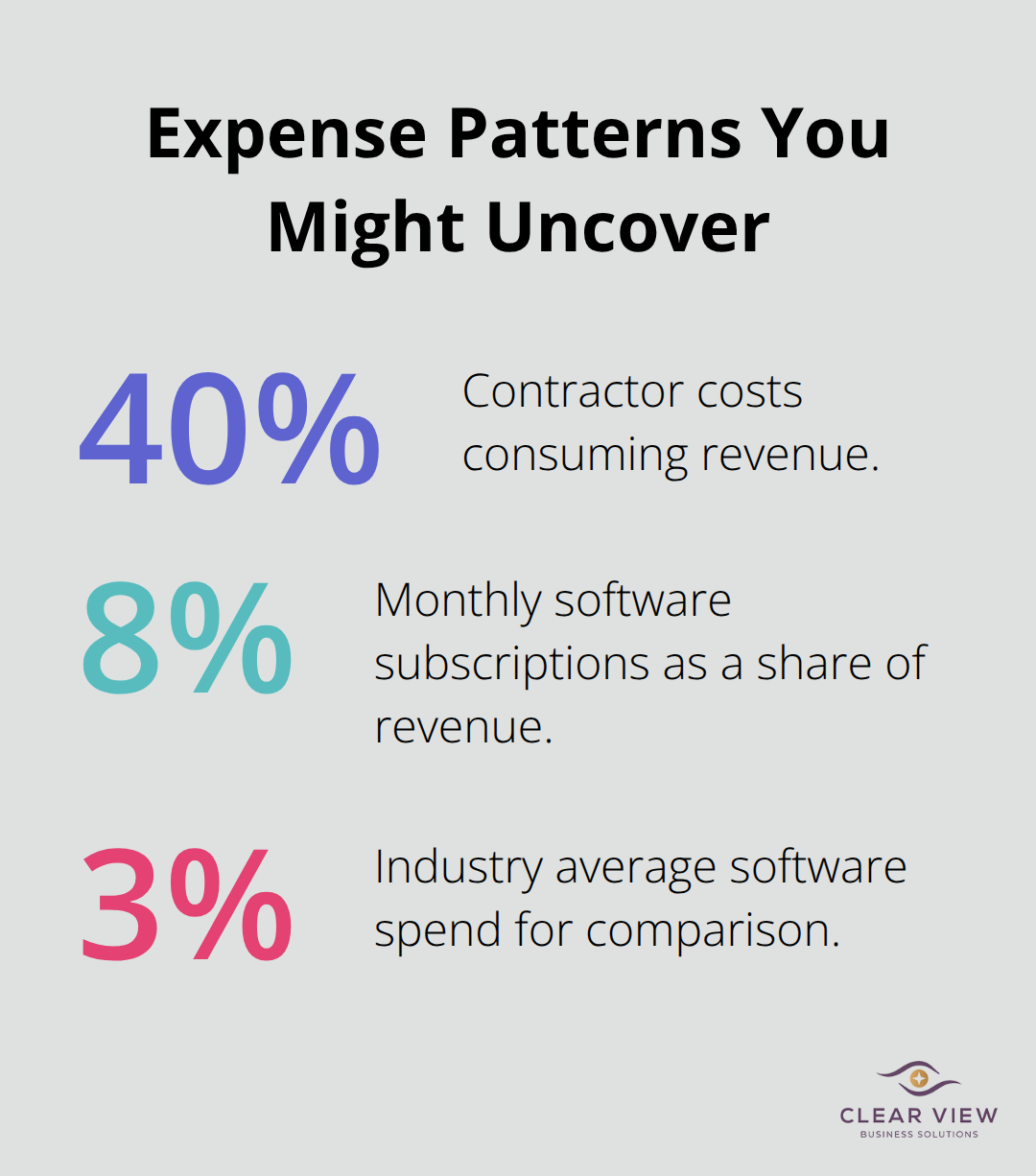
These insights drive actual business decisions rather than guesses.
Tax category organization for year-end compliance separates businesses prepared for tax season from those scrambling in April. QuickBooks allows you to tag expenses with tax categories that correspond to your actual tax return lines, which means your accountant receives data already organized for filing instead of a chaotic pile of transactions. This reduces accounting fees substantially because your accountant spends minutes organizing your data instead of hours.
When tax time arrives, you can run a tax summary report from QuickBooks that shows your income, expenses, and deductions organized exactly as your tax return requires. This preparation cuts typical tax preparation time in half and reduces the risk of missed deductions that cost you money. Professional QuickBooks training ensures you understand how to use these features effectively, which maximizes the value you get from your accounting system.
Proper QuickBooks setup transforms how Tucson businesses manage finances, but only when you get the fundamentals right from the start. The three core elements-choosing the correct version, building a customized chart of accounts, and connecting your bank feeds-determine whether QuickBooks becomes your most valuable business tool or a source of ongoing frustration. Most Tucson business owners who struggle with QuickBooks didn’t struggle with the software itself; they struggled because their initial setup missed these critical steps.
The real payoff comes when you move beyond basic bookkeeping and use QuickBooks for actual business decisions. Invoice tracking reveals which customers pay reliably and which ones drain your cash flow. Expense categorization shows where your money actually goes, often exposing spending patterns that surprise you. Tax category organization means your accountant receives organized data instead of chaos, cutting tax preparation fees substantially.
QuickBooks setup training in Tucson isn’t a luxury-it’s the difference between a system that works for you and one that works against you. Business owners who invest in proper training spend less than five hours monthly on routine bookkeeping instead of twenty or thirty. That time difference compounds into hundreds of hours annually that you can redirect toward actual business growth. We at Clear View Business Solutions help Tucson businesses implement QuickBooks correctly and train your team to use it effectively, so contact Clear View Business Solutions to discuss how proper setup can simplify your finances and give you the insights you need to make better business decisions.
At Clear View Business Solutions, we know you want your business to prosper without having to worry about whether you are paying more in taxes than you should or whether your business is set up correctly. The problem is it's hard to find a trusted advisor who can translate financial jargon to layman's terms and who can actually help you plan for better results.
We believe it doesn't have to be this way! No business owner should settle for working with a CPA firm that falls short of understanding what you want to achieve and how to help you get there.
Northwest Location:
7530 N. La Cholla Blvd., Tucson, AZ 85741
Central Location:
2933 N Campbell Avenue, Tucson, AZ 85719
© 2026 Clear View Business Solutions. All Rights Reserved.
At Clear View Business Solutions, we know you want your business to prosper without having to worry about whether you are paying more in taxes than you should or whether your business is set up correctly. The problem is it's hard to find a trusted advisor who can translate financial jargon to layman's terms and who can actually help you plan for better results.
We believe it doesn't have to be this way! No business owner should settle for working with a CPA firm that falls short of understanding what you want to achieve and how to help you get there. With over 20 years of experience serving hundreds of business owners like you, our team of experts combines financial expertise and proactive communication with our drive to help each client achieve results and have fun along the way.
Here's how we do it:
Discover: We start with a consultation to understand your specific goals, what's holding you back, and what success looks like for you.
Strategize & Optimize: Together, we design a customized strategy that empowers you to progress toward your goals, and we optimize our communication as partners.
Thrive: You enjoy a clear view of your business and your financial prosperity.
Schedule a consultation today, and take the first step toward being able to focus on your core business again without wondering if your numbers are right- or what they mean to your business.
In the meantime, download, "The Business Owner's Essential Guide to Tax Deductions" and make sure you aren't leaving money on the table.