


Most small business owners handle their finances with spreadsheets or scattered receipts. This approach wastes hours every month and leaves you flying blind when it comes to your actual financial position.
At Clear View Business Solutions, we’ve seen how learning QuickBooks basics transforms the way business owners manage money. You’ll cut bookkeeping time in half, see your real-time financial picture, and make smarter decisions about where your business is headed.
Spreadsheets fail small business owners in predictable ways. Data entry errors compound over months, reconciling bank statements becomes a nightmare, and worst of all, you never know your actual profit until tax season arrives. According to research from the National Federation of Independent Business, small business owners spend an average of 40 hours per month on bookkeeping tasks when using manual methods. That’s a full work week spent on data entry instead of growing your business. QuickBooks eliminates this waste immediately. The software automatically imports transactions from your bank accounts and credit cards, categorizes them correctly, and updates your financial position in real time. You stop guessing about cash flow and start knowing exactly what you have.
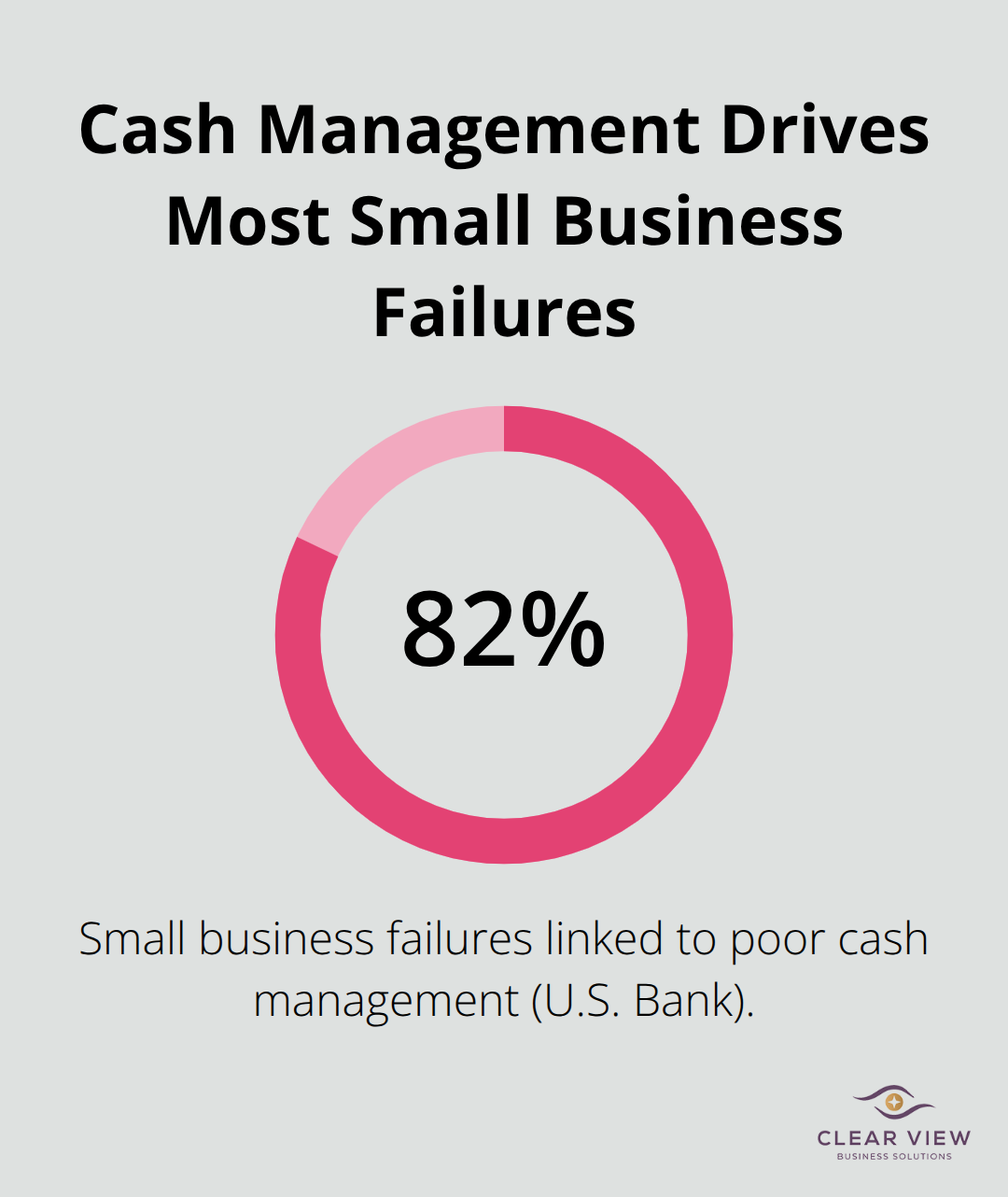
Financial data becomes actionable only when it’s current and accurate. QuickBooks gives you access to your profit and loss statement, cash flow forecast, and balance sheet whenever you need them, not three months after the fact when your accountant delivers year-end reports. This matters because cash flow problems kill more businesses than lack of profitability. A survey by U.S. Bank found that 82% of small business failures trace back to poor cash management. When you see upcoming expenses and incoming payments in real time, you make different decisions about inventory purchases, hiring, and expansion.
You might hold off on a new hire for two weeks because the forecast shows a payment delay from your largest client. That single decision prevents a cash crisis. QuickBooks also connects directly to your bank, so there’s no lag between when money moves and when you see it reflected in your books. This accuracy transforms your financial statements from historical records into decision-making tools.
Bookkeeping consumes time that your business desperately needs elsewhere. Manual receipt tracking, invoice creation, expense categorization, and bank reconciliation represent hours you could spend on sales, client work, or strategy. QuickBooks automates the repetitive parts. You photograph receipts with your phone, the app categorizes them, and they attach to the right expense account. Invoices generate in minutes instead of hours. Recurring expenses like rent or utilities appear automatically without data entry. The mobile app lets you handle bookkeeping tasks during idle moments instead of blocking entire afternoons for administrative work. Small business owners report cutting their monthly bookkeeping time after implementing QuickBooks. That time savings monthly lets you reclaim hours for actual business work. Over a year, that’s significant time redirected to revenue-generating activities.
The foundation you build in QuickBooks determines how smoothly everything runs later. A poorly configured chart of accounts forces you to reclassify transactions constantly. Missing bank connections mean you still enter data manually. Incorrect settings create reporting headaches that compound for months. The next section walks you through the setup process step by step, showing you exactly how to configure QuickBooks so it works for your business from day one.
QuickBooks offers three distinct paths, and selecting the wrong one wastes months of frustration. QuickBooks Online works for most small business owners because it lives in your browser, syncs automatically with your bank, and updates without your involvement. QuickBooks Desktop suits businesses with complex inventory needs or those operating in industries requiring specialized reporting. QuickBooks Self-Employed targets freelancers and solo operators earning under $100,000 annually. Most small business owners should start with QuickBooks Online because it requires zero software installation, works on any device, and includes automatic bank feeds that eliminate manual data entry.
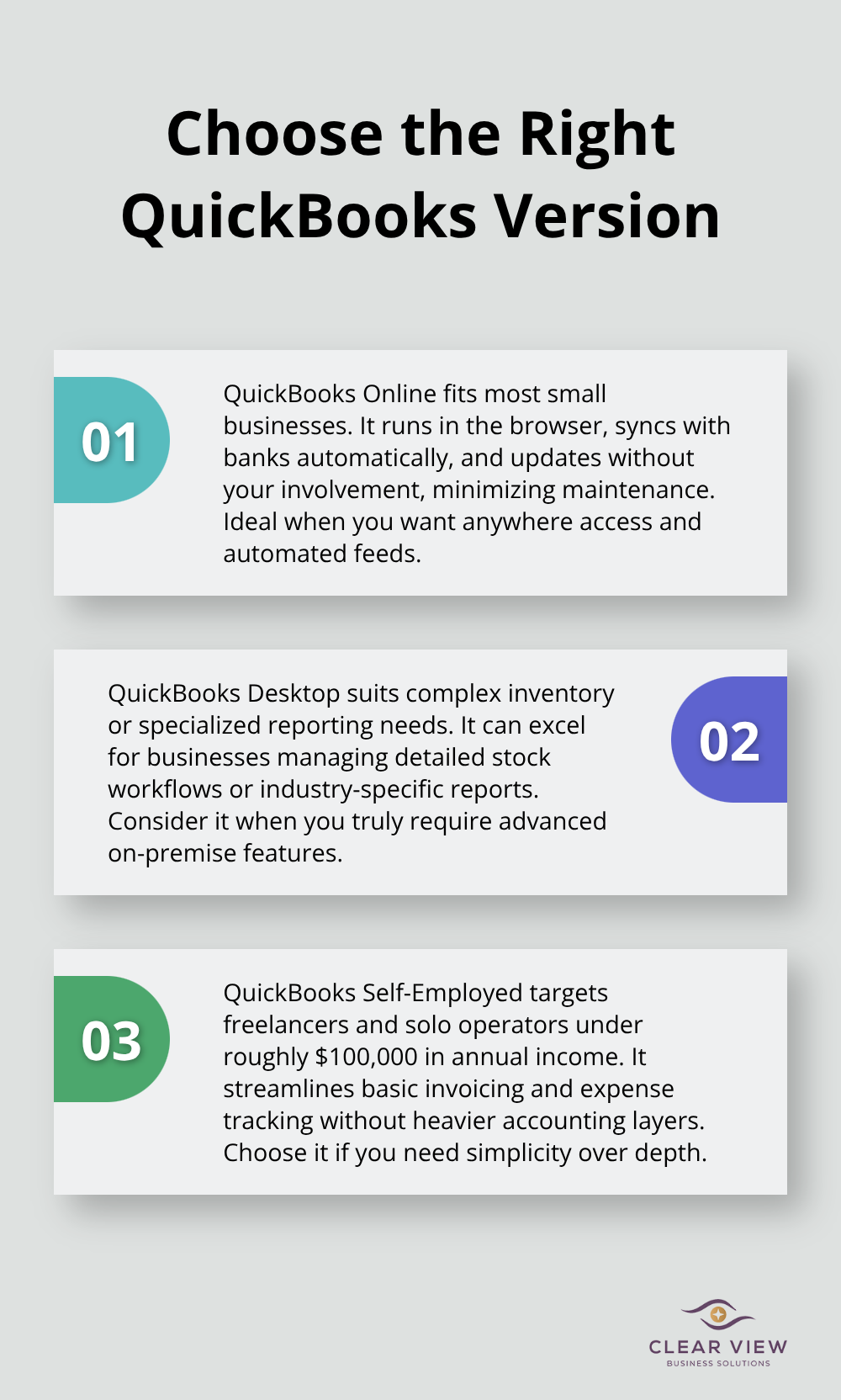
The setup wizard guides you through initial configuration in roughly 30 minutes, asking questions about your business type, revenue range, and which features matter most. If you sell physical products and track inventory across multiple warehouses, Desktop might serve you better, but Online handles inventory adequately for most small businesses. The critical mistake occurs when owners select based on price alone. Online’s monthly subscription costs more upfront than Desktop’s one-time purchase, but Online saves hours monthly through automation that Desktop cannot match. Select Online unless your business has genuinely specialized requirements that Online cannot accommodate.
Your chart of accounts determines whether QuickBooks becomes a powerful tool or a constant source of frustration. This list of accounts categorizes every transaction your business records. Most small business owners either create too many accounts, which creates confusion during data entry, or too few, which produces unusable financial reports. The correct approach uses between 20 and 40 accounts for most small businesses. QuickBooks provides a standard chart of accounts template based on your industry selection during setup. Start with this template rather than creating custom accounts. The template includes income accounts, cost of goods sold accounts, expense accounts, and balance sheet accounts already organized logically. You add custom accounts after you understand how the standard accounts work. When you categorize expenses, avoid creating separate accounts for minor expenses. Instead, group similar items. Create one Office Supplies account rather than separate accounts for pens, paper, and folders. Create one Travel Expense account rather than individual accounts for airfare, hotels, and meals. This prevents your chart of accounts from becoming unwieldy while still providing the detail you need for decision-making. QuickBooks’ Getting Started tool walks you through chart of accounts configuration and lets you customize it for your specific business, ensuring the structure matches how you actually operate rather than forcing your business into a generic template.
Bank connections transform QuickBooks from a data entry tool into an automated financial system. Open bank feed setup immediately after you create your chart of accounts. QuickBooks connects securely to your bank using open banking technology, which means your login credentials stay safe and transactions pull automatically. Most banks support this integration, though some regional banks may require manual uploads. Once connected, QuickBooks downloads transactions daily and displays them for review. You categorize each transaction once, and QuickBooks learns your patterns. Future transactions from the same vendor get categorized automatically. This learning process saves hours monthly on repetitive work.
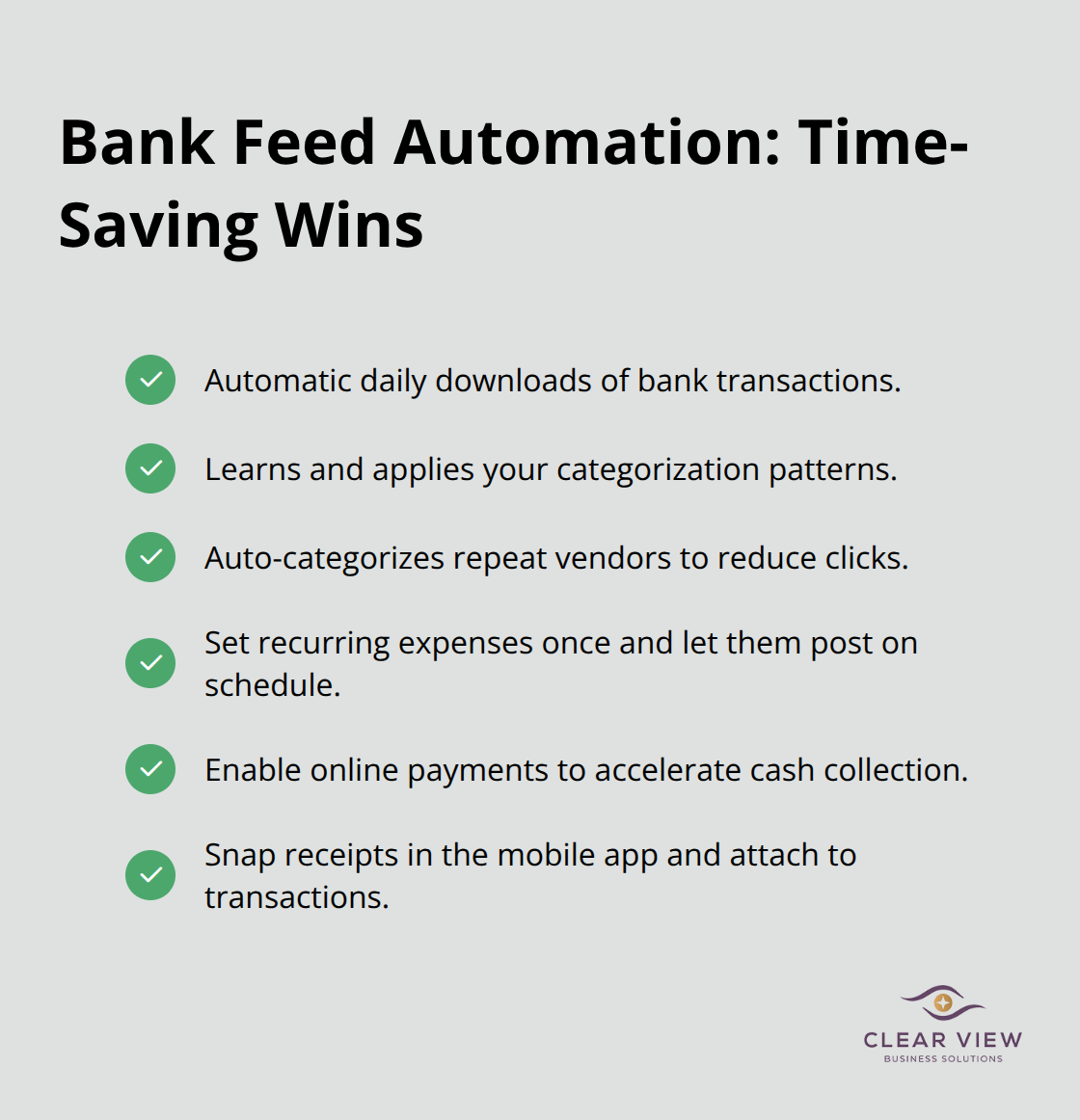
You should configure recurring transactions for expenses that appear monthly like rent, utilities, insurance, and loan payments. Create these once, set them to recur on the correct date, and QuickBooks generates them automatically without your involvement. Enable online payments through QuickBooks Payments if your bank supports it, which accelerates cash collection because customers can pay invoices directly from the invoice you send them. This feature alone reduces days sales outstanding, meaning money arrives in your account faster. Configure your mobile app to photograph receipts immediately after purchase rather than collecting them in a shoebox. The app attaches receipts to the correct expense transaction, creating an audit trail that accountants and tax preparers appreciate.
QuickBooks’ preference settings control how the software behaves and what information appears on your dashboard. Access these settings early so your system operates according to your business needs from the start. Set your fiscal year to match your actual business calendar, not the calendar year, if your business operates on a different schedule. Configure your company preferences to match your invoicing practices, such as invoice numbering, payment terms, and whether you track sales tax. If you operate in multiple states or countries, set up your tax settings correctly now rather than attempting to fix them after months of transactions. Enable two-factor authentication for your QuickBooks Online account to protect your financial data from unauthorized access. Set user permissions if you have employees or contractors who need access to specific areas of QuickBooks. You can restrict what each user sees and what actions they can perform, protecting sensitive financial information while allowing team members to enter their own data. These initial configuration steps take an hour but prevent problems that would otherwise plague you for months. Once you complete setup, you move from preparation into actual operation, where the real power of QuickBooks emerges.
Once your chart of accounts is configured and bank feeds are connected, QuickBooks shifts from a setup tool into an operational system. The three core operations-recording income, managing invoices, and tracking expenses-form the backbone of every small business financial system. Most owners struggle initially because they approach these operations sequentially rather than understanding how they interconnect. Income arrives through invoices you send to customers. Expenses flow through receipt tracking and vendor payments. QuickBooks records both sides simultaneously, building financial reports that reflect your actual position.
The key to mastery involves understanding the workflow, not memorizing menu locations. When you send an invoice in QuickBooks, the software simultaneously records income in your profit and loss statement and creates a receivable on your balance sheet. When a customer pays that invoice, QuickBooks matches the payment to the invoice and updates both statements. This dual recording happens automatically once you set it up correctly.
Most beginners create invoices outside QuickBooks and manually enter the income later, which doubles work and introduces errors. Instead, create every invoice directly in QuickBooks from day one. The process takes two minutes per invoice once you configure your customer list and product or service line items. QuickBooks remembers customer details, invoice amounts, and payment terms, so repeat invoicing becomes even faster. For recurring clients who receive the same invoice monthly, create a recurring invoice template that generates automatically on the correct date. This eliminates invoice creation entirely for stable revenue streams.
Expense tracking separates organized business owners from those perpetually scrambling at tax time. The standard approach involves photographing receipts with the QuickBooks mobile app immediately after purchase, which attaches the receipt image to the transaction in your books. This creates an audit trail that tax preparers and the IRS appreciate. Categorize expenses correctly during entry rather than assuming you’ll fix classifications later. Proper categorization affects your tax bill and IRS compliance, helping you claim every eligible deduction and reducing your audit risk.
Office supplies belong in Office Supplies, not Miscellaneous. Meals with clients belong in Meals and Entertainment, not Office Supplies. Correct classification matters because your tax deductions depend on accurate categorization. When you prepare tax returns, your accountant pulls reports directly from QuickBooks. Miscellaneous expenses receive less favorable treatment than properly categorized deductions.
Enable the mileage tracking feature in the QuickBooks mobile app if your business involves client visits or site work. The app automatically captures mileage using your phone’s location data, eliminating the need to manually log miles. The IRS allows 67 cents per mile in 2024 for business mileage. If you drive 10,000 miles annually for business, proper tracking captures $6,700 in deductions. Manual mileage logs fail constantly because owners forget entries or estimate inaccurately. Automatic tracking ensures you claim every legitimate deduction without guesswork.
Connect your credit cards to QuickBooks alongside your bank accounts. This reveals your complete cash position because QuickBooks shows both money in the bank and credit card balances. Many owners overlook credit card connections and fail to track credit card spending, creating blind spots in their expense picture. When you see all accounts together, you understand your true financial position rather than a partial view that excludes credit card debt.
Learning QuickBooks basics positions you to control your financial future instead of reacting to surprises at tax time. The three core operations you’ve learned-recording income, managing invoices, and tracking expenses-form a complete financial system that works for businesses at any stage. When you implement these practices consistently, your financial reports shift from historical documents into decision-making tools that guide your business strategy.
The real power emerges after the first month of consistent use. Your chart of accounts becomes familiar, bank categorization happens automatically through QuickBooks’ learning system, and invoicing takes minutes instead of hours. You stop wondering whether you can afford a business decision and start knowing your actual cash position. This confidence changes how you operate.
Professional support accelerates your progress significantly. At Clear View Business Solutions, we work with small business owners throughout Tucson to implement QuickBooks systems that actually work for your operations, and our team provides training, full-cycle bookkeeping services, and tax planning that ensures you optimize your financial position rather than just record transactions. Whether you need help with initial setup, ongoing bookkeeping support, or tax strategy, Clear View Business Solutions simplifies the process and ensures your financial foundation is solid.




At Clear View Business Solutions, we know you want your business to prosper without having to worry about whether you are paying more in taxes than you should or whether your business is set up correctly. The problem is it's hard to find a trusted advisor who can translate financial jargon to layman's terms and who can actually help you plan for better results.
We believe it doesn't have to be this way! No business owner should settle for working with a CPA firm that falls short of understanding what you want to achieve and how to help you get there.
Northwest Location:
7530 N. La Cholla Blvd., Tucson, AZ 85741
Central Location:
2933 N Campbell Avenue, Tucson, AZ 85719
© 2026 Clear View Business Solutions. All Rights Reserved.
At Clear View Business Solutions, we know you want your business to prosper without having to worry about whether you are paying more in taxes than you should or whether your business is set up correctly. The problem is it's hard to find a trusted advisor who can translate financial jargon to layman's terms and who can actually help you plan for better results.
We believe it doesn't have to be this way! No business owner should settle for working with a CPA firm that falls short of understanding what you want to achieve and how to help you get there. With over 20 years of experience serving hundreds of business owners like you, our team of experts combines financial expertise and proactive communication with our drive to help each client achieve results and have fun along the way.
Here's how we do it:
Discover: We start with a consultation to understand your specific goals, what's holding you back, and what success looks like for you.
Strategize & Optimize: Together, we design a customized strategy that empowers you to progress toward your goals, and we optimize our communication as partners.
Thrive: You enjoy a clear view of your business and your financial prosperity.
Schedule a consultation today, and take the first step toward being able to focus on your core business again without wondering if your numbers are right- or what they mean to your business.
In the meantime, download, "The Business Owner's Essential Guide to Tax Deductions" and make sure you aren't leaving money on the table.