

QuickBooks can feel overwhelming when you first open it. We at Clear View Business Solutions have helped thousands of small business owners get comfortable with the software, and we know the learning curve doesn’t have to be steep.
This beginner QuickBooks training guide walks you through the essential features you need to manage your finances from day one. You’ll learn how to set up your company file, record transactions, and pull reports that actually tell you how your business is performing.
When you log into QuickBooks for the first time, the Home page greets you with a dashboard that displays shortcuts to common tasks like creating invoices and recording expenses. This isn’t just a pretty interface-it’s designed to get you working fast. The dashboard shows your company name, the current date, and quick-access buttons for the most frequent actions you’ll perform. Spend a moment familiarizing yourself with where these buttons sit because you’ll use them dozens of times weekly. Most new users waste time hunting through menus when these shortcuts could save them seconds on every transaction.
The left sidebar contains the main menu where you’ll find Chart of Accounts, Customers, Vendors, and Reports. Unlike software that buries critical information three menus deep, QuickBooks keeps your most important tools within one click. The right side of the screen typically shows a snapshot of your business-things like profit and loss at a glance, bank balances, and upcoming bills. This real-time view helps you understand your financial position without generating a full report.
Setting up your company file correctly from the start prevents headaches later. When you first open QuickBooks, you’ll answer questions about your business type, fiscal year, and accounting method. Choose accrual accounting if you want to track income when you earn it rather than when the payment arrives-this gives you a more accurate picture of your business health. If you’re operating as a sole proprietor or partnership, cash accounting works fine, but accrual is more professional and required by many lenders and investors.
During setup, QuickBooks will ask for your industry type, and selecting the correct one matters because it pre-populates your Chart of Accounts with industry-standard line items. A construction business has completely different account needs than a service-based firm, so accuracy here saves significant reorganization work later.
After setup completes, you’ll customize your company information, add your business logo if you want it on invoices, and configure your fiscal year settings. Most small businesses follow the calendar year, but if your business operates seasonally or has a different financial cycle, now is the time to set that preference (this decision affects how QuickBooks organizes your financial data throughout the year). Once these foundations are solid, you’re ready to start recording actual transactions and begin tracking the income and expenses that drive your business forward.
Most new QuickBooks users make the same mistake: they wait until month-end to record everything at once. This creates chaos and guarantees you’ll forget half your transactions. Instead, record income and expenses within 24 hours of the transaction occurring. QuickBooks makes this simple through the Home page dashboard where you’ll find buttons for recording checks, deposits, and credit card transactions. The faster you record, the more accurate your financial picture becomes. Small businesses that track expenses weekly rather than monthly catch more deductions at tax time. When you record a transaction immediately, you capture details like the vendor name, invoice number, and category while the information is fresh in your mind. This attention to detail matters because vague expense categories make it impossible to analyze where your money actually goes.
When a customer pays you, QuickBooks needs to know if this payment came from an invoice you created or a one-time sale. If you invoiced the customer, click Receive Payments and select the specific invoice being paid. This approach ties the payment directly to the invoice, which matters for your accounts receivable reports and customer payment history. If you accept immediate cash or card payments without invoices, use the Deposit button instead. Many service businesses miss this distinction and end up with confused customer records. Your Chart of Accounts should have separate income categories for each revenue stream you operate. A landscaping business might track lawn maintenance separately from snow removal because these have different profit margins and seasonal patterns. QuickBooks lets you assign income to specific customers and jobs, which becomes invaluable when you want to know which clients are most profitable.
Expense tracking follows the same principle: categorize everything precisely. When you record a vendor payment, select the account that matches the expense type rather than lumping everything into a general category. QuickBooks auto-fills vendor names once you enter them once, which saves time on repeat payments. This systematic approach prevents duplicate vendor entries and keeps your vendor list clean and organized.
Create invoices directly in QuickBooks rather than using external tools because this keeps all your financial data in one place. When you generate an invoice, QuickBooks automatically updates your accounts receivable and income accounts simultaneously. Set your invoice terms clearly, whether that’s due upon receipt or net 30 days.
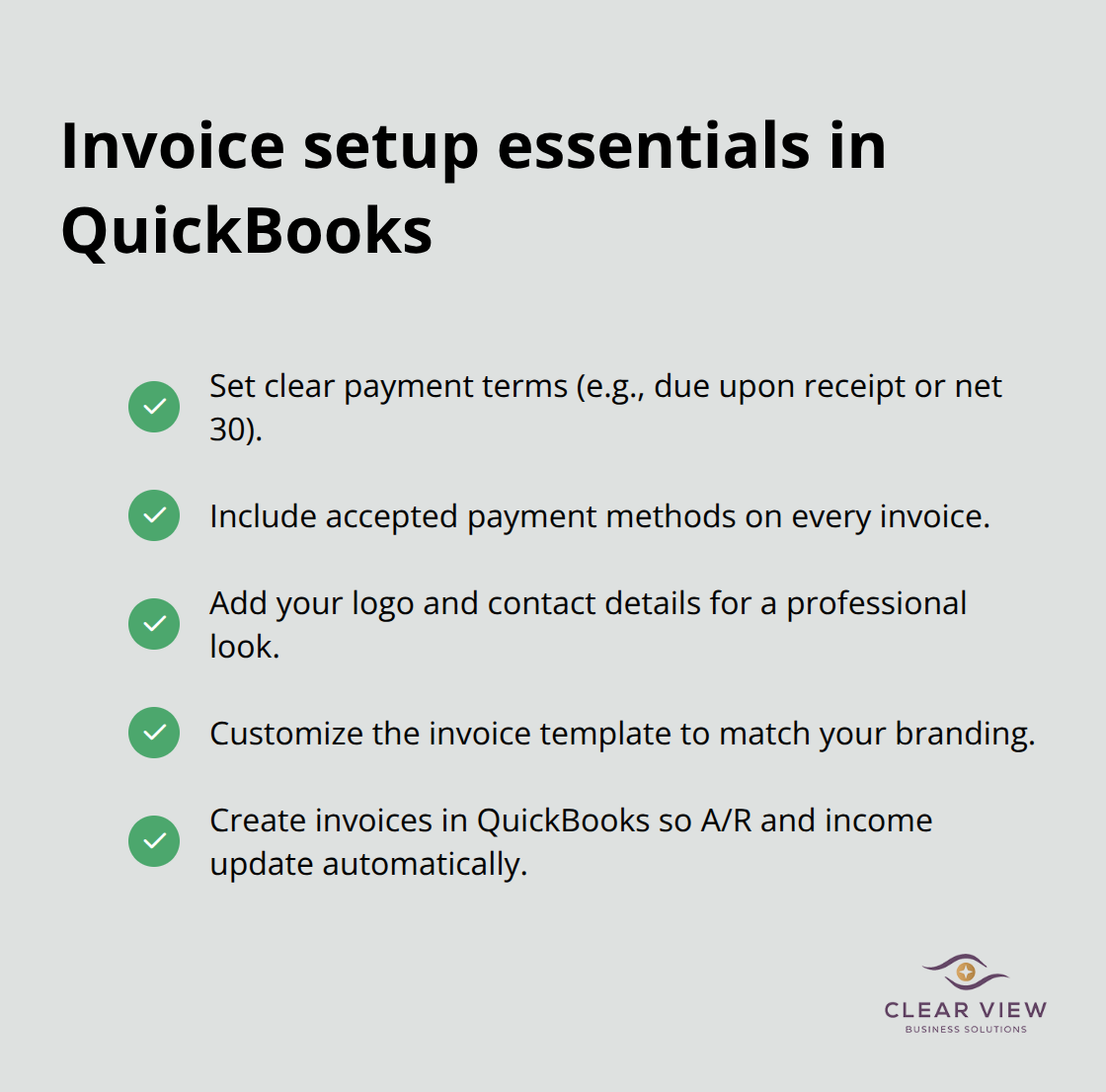
Invoices with explicit payment terms help establish clear payment expectations between you and your clients. Add your payment methods to the invoice so customers know whether to send a check, make a bank transfer, or pay online. Include your business logo and contact information because professional-looking invoices signal reliability and often accelerate payments. QuickBooks lets you customize invoice templates, so take 20 minutes to match your branding before sending your first invoice.
You now have the foundation to record transactions accurately and maintain clean financial records. The next chapter covers how to pull meaningful reports from the data you’ve entered, transforming raw transaction records into insights that guide your business decisions.
The transaction data you’ve entered into QuickBooks sits dormant until you generate reports that transform raw numbers into actionable insights. Most new users ignore reports entirely until tax season arrives, which is a mistake. Reports generated monthly reveal patterns that guide your pricing decisions, hiring choices, and spending habits while you still have time to adjust course.
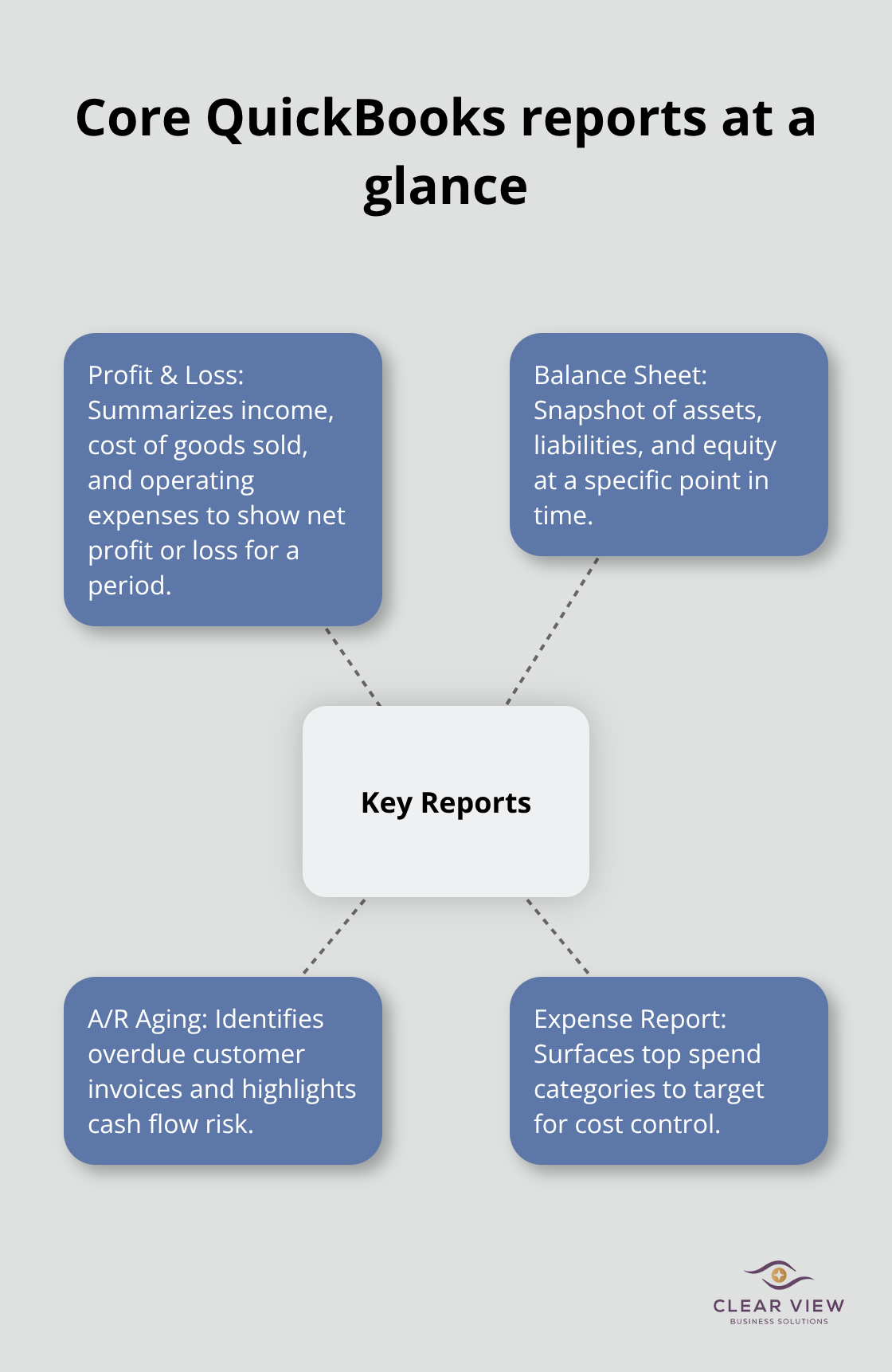
QuickBooks generates two fundamental reports that every small business owner must understand: the Profit and Loss statement shows whether you’re making money in any given period, while the Balance Sheet reveals what your business owns and owes at a specific moment.
Your Profit and Loss report displays total income at the top, followed by cost of goods sold if applicable, then operating expenses broken down by category. The bottom line shows your net profit or loss. When you examine this report monthly, you’ll spot expense categories that are growing faster than your income, which signals a problem before it becomes catastrophic. For example, if labor costs climbed from 28 percent of revenue in January to 35 percent by March, you need to investigate why before those percentages hit 45 percent. Many small business owners discover they’re underpricing their services only after reviewing three months of Profit and Loss reports side by side.
The Balance Sheet operates differently because it captures a single moment in time rather than a period. It shows your assets in one section, liabilities in another, and equity at the bottom. When assets equal the sum of liabilities and equity, you can be confident that your financial statements are mathematically correct. If your numbers don’t balance, you’ve entered something incorrectly somewhere in your transactions. QuickBooks highlights this discrepancy immediately, which saves you from publishing inaccurate financial statements.
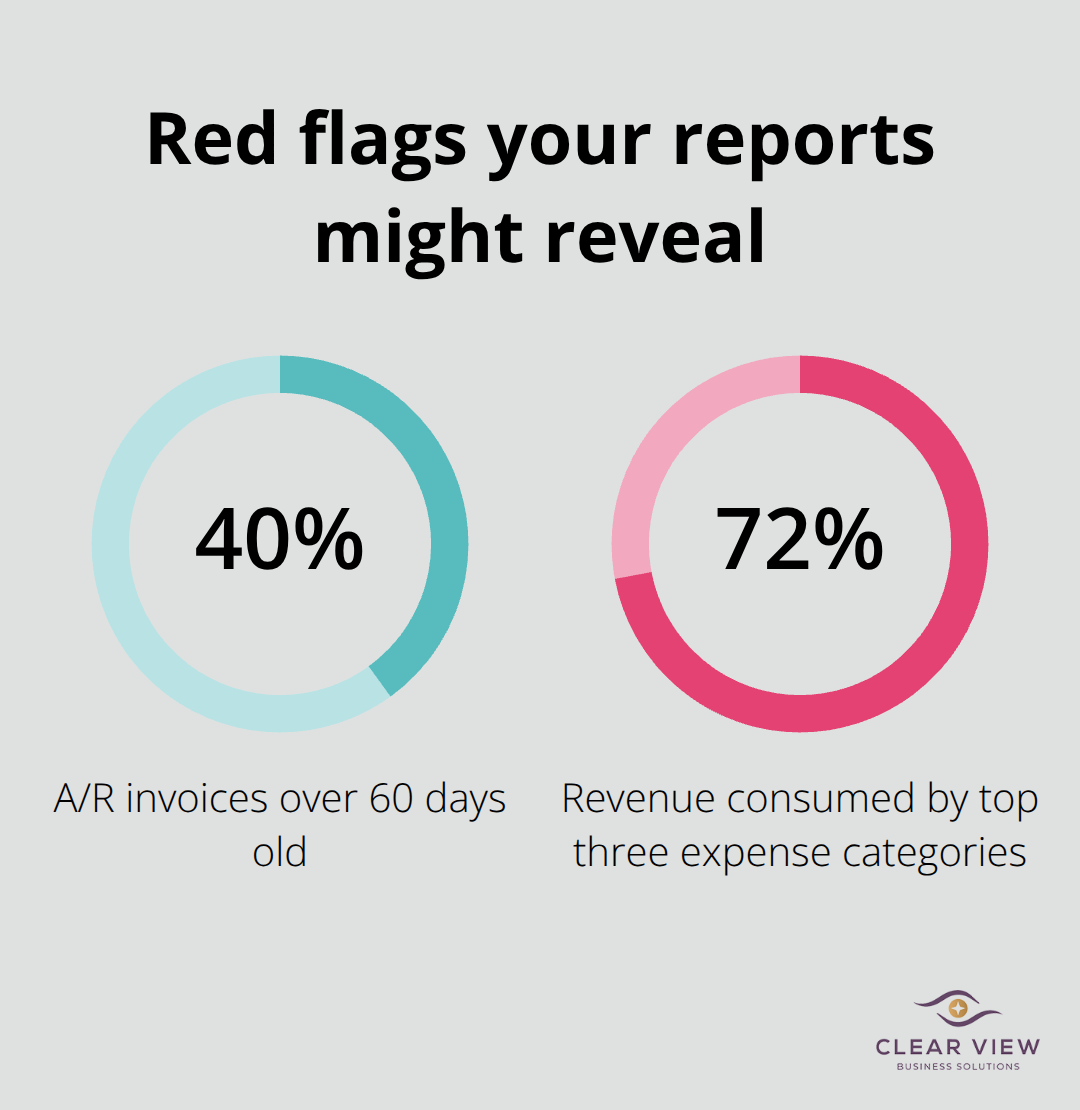
Use these reports to make actual business decisions rather than treating them as compliance documents. If your Accounts Receivable aging report shows that 40 percent of your outstanding invoices are over 60 days old, your cash flow is suffering and you need to implement collection calls immediately. If your Expense report shows that your top three expense categories consume 72 percent of your revenue, you’re operating with razor-thin margins and need to either raise prices or cut costs.
Small business owners who review reports quarterly rather than annually catch problems when solutions still exist.
Generate your Profit and Loss report on the same day each month so you develop a habit of financial awareness. Set a calendar reminder for the third business day of each month to pull this report while the previous month is still fresh (this discipline separates business owners who grow profitably from those who stumble through years wondering why the bank account never matches their expectations). Your reports become more valuable when you compare them side by side across multiple months, revealing trends that single-month snapshots cannot show.
You’ve now completed beginner QuickBooks training and understand how to navigate the dashboard, set up your company file correctly, record transactions with precision, and pull reports that reveal your actual financial position. These skills form the foundation that separates business owners who know their numbers from those who operate blind. The real work starts after you close this guide-commit to recording transactions daily rather than weekly, generate your Profit and Loss report monthly without fail, and review your Balance Sheet quarterly to spot trends before they become problems.
Most small business owners who struggle with QuickBooks didn’t fail because the software is complicated. They failed because they treated financial management as an occasional task rather than a daily discipline. Your next step depends on your comfort level and how much time you want to invest in bookkeeping activities.
If you recognize that bookkeeping requires more expertise than you want to handle yourself, that’s equally valid-many business owners find that outsourcing bookkeeping and QuickBooks management frees them to focus on revenue-generating activities instead. We at Clear View Business Solutions help small business owners master their finances through full-cycle bookkeeping, tax planning, and accounting services. Contact Clear View Business Solutions to explore how we can simplify your financial management and help you make informed decisions about your business growth.
At Clear View Business Solutions, we know you want your business to prosper without having to worry about whether you are paying more in taxes than you should or whether your business is set up correctly. The problem is it's hard to find a trusted advisor who can translate financial jargon to layman's terms and who can actually help you plan for better results.
We believe it doesn't have to be this way! No business owner should settle for working with a CPA firm that falls short of understanding what you want to achieve and how to help you get there.
Northwest Location:
7530 N. La Cholla Blvd., Tucson, AZ 85741
Central Location:
2933 N Campbell Avenue, Tucson, AZ 85719
© 2026 Clear View Business Solutions. All Rights Reserved.
At Clear View Business Solutions, we know you want your business to prosper without having to worry about whether you are paying more in taxes than you should or whether your business is set up correctly. The problem is it's hard to find a trusted advisor who can translate financial jargon to layman's terms and who can actually help you plan for better results.
We believe it doesn't have to be this way! No business owner should settle for working with a CPA firm that falls short of understanding what you want to achieve and how to help you get there. With over 20 years of experience serving hundreds of business owners like you, our team of experts combines financial expertise and proactive communication with our drive to help each client achieve results and have fun along the way.
Here's how we do it:
Discover: We start with a consultation to understand your specific goals, what's holding you back, and what success looks like for you.
Strategize & Optimize: Together, we design a customized strategy that empowers you to progress toward your goals, and we optimize our communication as partners.
Thrive: You enjoy a clear view of your business and your financial prosperity.
Schedule a consultation today, and take the first step toward being able to focus on your core business again without wondering if your numbers are right- or what they mean to your business.
In the meantime, download, "The Business Owner's Essential Guide to Tax Deductions" and make sure you aren't leaving money on the table.