

Small businesses waste thousands of dollars every year managing finances the old way. Spreadsheets break, receipts get lost, and your accountant spends half their time chasing down numbers instead of analyzing them.
Cloud bookkeeping changes that. At Clear View Business Solutions, we’ve seen firsthand how real-time financial data transforms how businesses operate and make decisions.
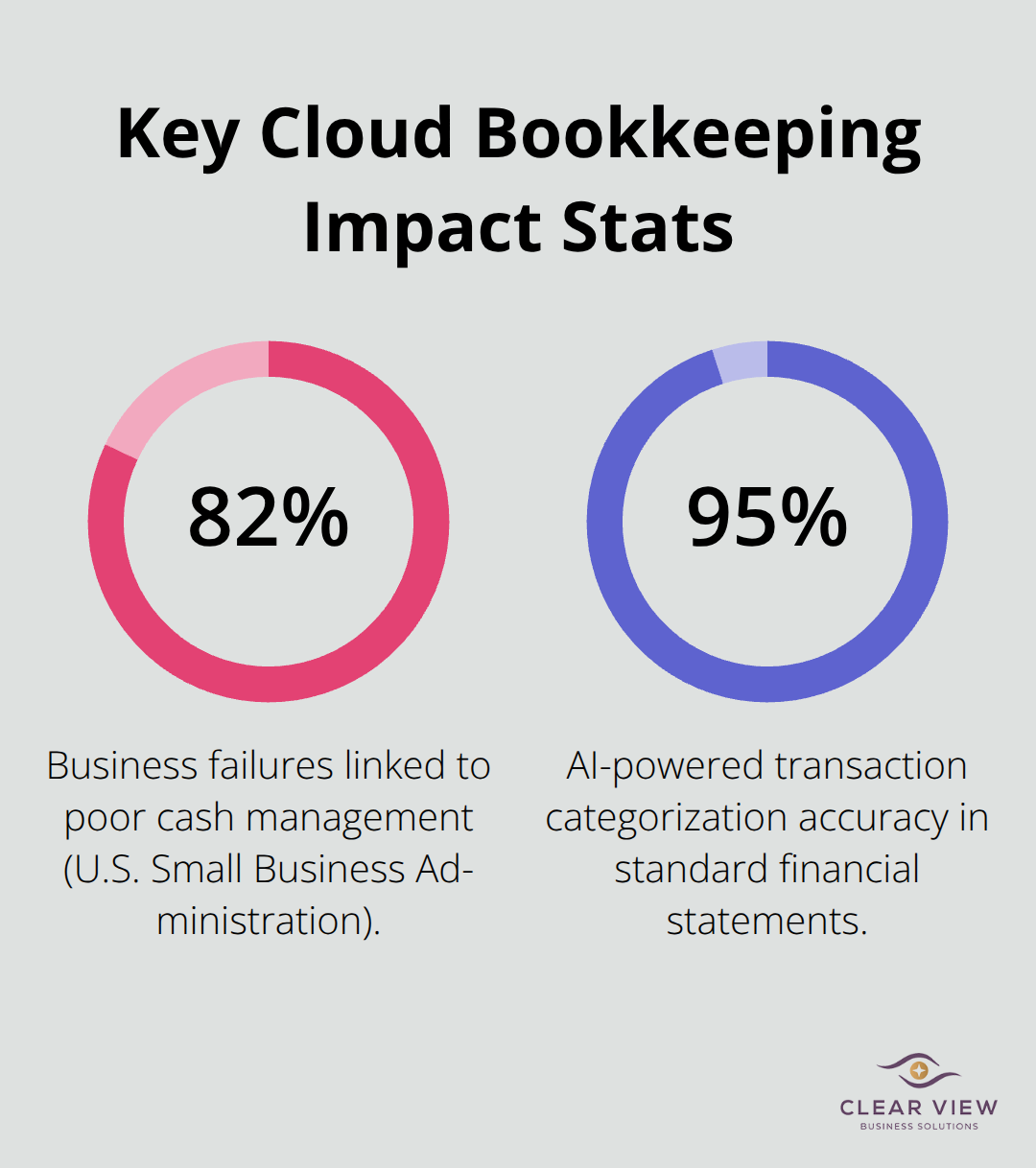
Cloud bookkeeping delivers something traditional accounting simply cannot: instant access to your financial position whenever you need it. When you operate with spreadsheets or desktop software, your numbers always lag behind. Your accountant closes the books on the 15th, but by then it’s too late to adjust spending or catch problems. Cloud platforms update in real time as transactions happen, meaning you see your cash position, expenses, and revenue the moment they occur. This matters because 82% of businesses that fail do so due to poor cash management, according to research from the U.S. Small Business Administration. Real-time visibility prevents that trap entirely. You spot a cash flow shortage three weeks before it becomes critical instead of finding it during month-end close.
Manual data entry kills productivity and introduces errors at every step. Your team spends hours typing invoices, matching receipts to transactions, and reconciling bank statements. Cloud bookkeeping automates this relentlessly. Bank feeds sync automatically, pulling transactions directly from your accounts without any manual work. Recurring invoices send themselves. AI-powered expense categorization achieves 15–40% reductions in process time and resource requirements. This automation cuts your month-end close from days to hours. Your team stops acting as data entry clerks and starts analyzing what the numbers actually mean.
Cloud bookkeeping costs far less than hiring a full-time bookkeeper or paying accountants to manually process your finances. A full-time bookkeeper runs $45,000 to $65,000 annually in salary alone, before benefits and payroll taxes. Cloud platforms cost between $10 and $300 monthly depending on features and user count. That’s a difference of tens of thousands of dollars per year. You also eliminate IT costs entirely-no servers to maintain, no backup infrastructure to manage, no software licenses to renew. The provider handles security updates, data backups, and disaster recovery automatically. This scalability means you start with core invoicing and expenses, then add payroll or tax integrations only when your business needs them. You pay for what you use, when you use it, rather than committing to expensive infrastructure upfront.
The cloud bookkeeping market offers many options, each with different strengths. QuickBooks Online provides robust invoicing, expense tracking, and reporting, plus a large integration ecosystem for payroll, tax, and time tracking. Xero enables real-time collaboration, supports multi-currency transactions, works on any device with internet access, and integrates with 800+ apps for automation and cash-flow management. FreshBooks targets freelancers and small teams with intuitive invoicing, time tracking, expense management, and a strong mobile app. Zoho Books provides inventory management, project tracking, client portals, audit trails, and affordable pricing ideal for startups. Wave offers a free core cloud accounting option for invoicing, expense tracking, and basic reporting, with paid payroll and payment services as optional upgrades. Sage Business Cloud Accounting focuses on small businesses with invoicing, bank reconciliation, tax management, and mobile-friendly access with built-in tax compliance. Each platform serves different business types and workflows, so your choice depends on your specific needs and growth trajectory.
Cloud providers secure your data through multi-layer encryption, access controls, and automated backups. However, you need to verify the provider’s data center security measures and how they control physical access to devices. Ask whether the provider co-locates servers or fully controls the server room or data center. Inquire about data redundancy and back-up procedures in case of breach or outage. For user access, understand how often accounts are audited within the cloud application and how easy it is to disable accounts when an employee leaves. Confirm that you maintain control over the creation and administration of user accounts to keep data secure. Consider implementing custom user access levels to restrict data access to appropriate personnel only.
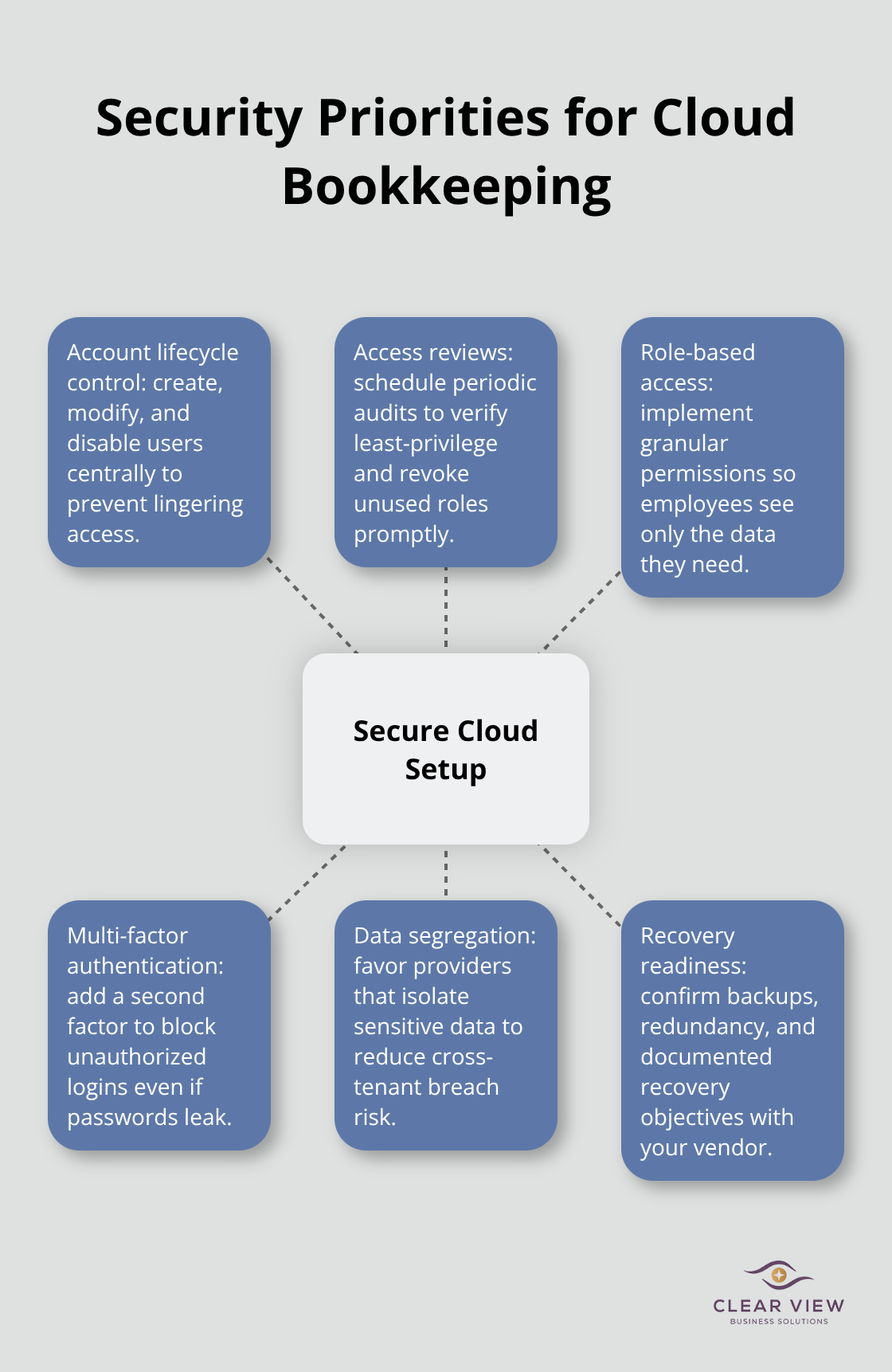
Multi-factor authentication strengthens access controls significantly. Cloud providers often host multiple clients on shared hardware, which raises cross-client risk in the event of a breach. Look for providers that keep sensitive data on separate physical hardware from other clients to reduce cross-tenant risk. If separate hardware isn’t possible, consider a private cloud arrangement to isolate your data, or use an API to keep your data onsite while still leveraging the cloud-based application’s capabilities.
The right cloud bookkeeping platform transforms how you manage finances, but selecting one requires understanding your integration needs, pricing structure, and security requirements. These factors determine whether a platform truly supports your business or creates new headaches.
Automation sits at the heart of cloud bookkeeping, and it works differently than most business owners expect. When you connect your bank account to a cloud platform, transactions flow in automatically without manual entry. Your team no longer spends hours matching receipts to line items or categorizing expenses by hand. AI-powered transaction categorization accuracy now handles this work with rates of 95%+ in standard financial statements. This matters because accounting firms using AI-native bookkeeping report faster month-end closes and more efficient reconciliations.
The real productivity gain comes from freeing your team to focus on analysis instead of data processing. When a transaction arrives, the system learns from your previous categorizations and applies the same logic automatically to similar future entries. You catch errors faster too-automated reconciliation flags discrepancies early rather than waiting until month-end when problems become expensive to fix.
Bank feeds integrate natively with leading platforms, meaning no middleware, no delayed syncing, and no manual journal entries. Xero integrates with over 800 apps, while QuickBooks Online maintains a similarly extensive ecosystem for payroll, tax, and time tracking tools. This native integration approach prevents data from getting stuck between systems or requiring duplicate entry. Your financial information flows seamlessly across tools, eliminating the manual workarounds that waste time and introduce errors.
Collaboration transforms entirely when multiple team members work in the same cloud environment simultaneously. Your accountant, bookkeeper, and business owner all access current data at the same time, eliminating the back-and-forth emails and outdated spreadsheet versions that plague traditional accounting. Custom user access levels mean you control exactly what each person sees-your bookkeeper handles invoicing, your accountant manages tax categories, and your owner reviews dashboards without accessing sensitive data.
When an employee leaves, you disable their account in seconds rather than requiring IT intervention or worrying about orphaned access. Multi-factor authentication adds another security layer, preventing unauthorized access even if passwords get compromised.
For businesses operating across borders, platforms like Xero handle multi-currency transactions natively, automatically converting amounts and tracking gains or losses on foreign exchange. This eliminates spreadsheet workarounds and prevents the rounding errors that plague manual currency conversion. Your team stops fighting with currency calculations and starts focusing on actual business growth.
Real-time dashboards show your cash position, expense trends, and revenue patterns instantly, letting you monitor cash flow and spot problems weeks before traditional month-end reporting would reveal them. This visibility prevents the cash flow surprises that derail small businesses and enables faster decision-making when opportunities or threats emerge. Your financial data becomes a tool for strategy rather than a record of what already happened.
Understanding how these features work together sets the stage for selecting a platform that actually fits your business. The next section walks through the specific evaluation criteria that separate the right choice from a costly mistake.
The wrong cloud bookkeeping choice wastes money and creates operational friction that undermines the efficiency gains you’re trying to achieve. Most business owners select based on price or brand recognition, then spend months fighting integration problems or outgrowing the platform. A three-step evaluation process prioritizes your actual workflow over marketing claims.
Start by listing which systems your business currently relies on-your payment processor, payroll software, inventory system, CRM, and banking platform. Then verify that your top platform choices integrate natively with those systems, not through third-party middleware that introduces delays and manual workarounds. QuickBooks Online excels here for businesses already using ADP or Gusto for payroll, while Xero’s integrations serve companies juggling multiple tools. FreshBooks works best if you’re primarily invoicing and tracking time, whereas Zoho Books fits teams needing inventory management alongside accounting. Wave suits startups with minimal needs, but its limited integration ecosystem becomes a liability as you scale.
Test the integration before committing-most platforms offer free trials where you can actually connect your bank account and payment processor to see whether data flows smoothly or requires manual entry. This hands-on approach reveals whether a platform truly fits your workflow or merely promises compatibility.
Pricing structures vary dramatically, and the cheapest option almost always becomes expensive once you add users and features. Wave charges nothing for core invoicing and expense tracking, but adding payroll jumps the cost to $20 monthly per employee, and you lose features other platforms include standard. QuickBooks Online starts at $15 monthly for basic invoicing but reaches $200 monthly for advanced features and multiple users. Xero’s pricing tiers range from $13 to $70 monthly depending on features, with additional charges for payroll and tax services in most regions. Zoho Books undercuts competitors at $9 to $45 monthly but charges separately for inventory, client portals, and other modules.
Calculate your total annual cost including all features you’ll actually need-payroll processing, tax compliance tools, advanced reporting, and additional users. Compare across platforms to identify which option truly costs less over a full year, not just at the entry level.
Security requirements should drive your evaluation equally hard. Verify that your chosen provider uses bank-level security including 128-bit SSL and AES-256 encryption to protect data in transit and at rest, maintains automated backups in geographically separate data centers, and supports multi-factor authentication for all user accounts. Ask directly whether they keep your data on shared hardware or isolated infrastructure, and request documentation of their physical data center security measures.
For businesses handling sensitive client information or operating in regulated industries, separate hardware or private cloud arrangements prevent cross-tenant risk if another client’s account gets compromised. Most platforms meet baseline security standards, but the difference between adequate and excellent protection matters significantly when a breach occurs. Request specific details about their backup procedures and recovery time objectives before you commit to any platform.
Cloud bookkeeping transforms financial management from a reactive burden into a proactive business tool. Instead of waiting weeks to understand your financial position, you gain instant visibility into cash flow, expenses, and revenue the moment transactions occur. This shift from historical reporting to real-time insight fundamentally changes how you make decisions and allocate resources based on current data rather than outdated spreadsheets.
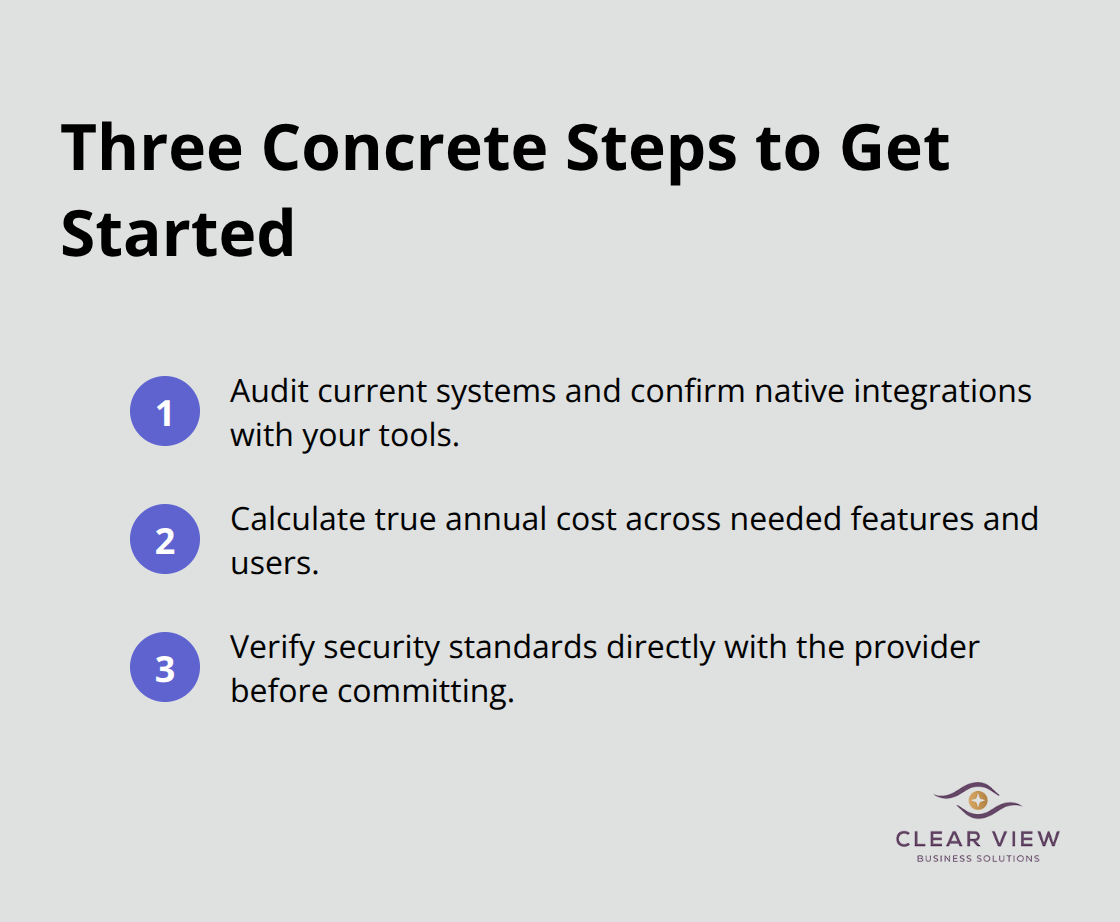
Getting started requires three concrete steps: audit your existing systems and identify which platforms integrate natively with your current tools, calculate your true annual cost across all features you’ll actually use (not just the advertised entry price), and verify security standards directly with your chosen provider before committing. Most platforms offer free trials that let you test integrations and workflows with real data, so use that period to confirm the platform actually fits your business rather than discovering problems after you’ve migrated.
We at Clear View Business Solutions help small businesses in Tucson implement cloud bookkeeping solutions that fit their specific needs. Whether you’re transitioning from spreadsheets, upgrading from desktop software, or setting up accounting for the first time, our team provides personalized guidance on platform selection, QuickBooks training, and full-cycle bookkeeping support. Contact Clear View Business Solutions to discuss how cloud bookkeeping can transform your financial management and support your growth.




At Clear View Business Solutions, we know you want your business to prosper without having to worry about whether you are paying more in taxes than you should or whether your business is set up correctly. The problem is it's hard to find a trusted advisor who can translate financial jargon to layman's terms and who can actually help you plan for better results.
We believe it doesn't have to be this way! No business owner should settle for working with a CPA firm that falls short of understanding what you want to achieve and how to help you get there.
Northwest Location:
7530 N. La Cholla Blvd., Tucson, AZ 85741
Central Location:
2929 N Campbell Avenue, Tucson, AZ 85719
© 2025 Clear View Business Solutions. All Rights Reserved.
At Clear View Business Solutions, we know you want your business to prosper without having to worry about whether you are paying more in taxes than you should or whether your business is set up correctly. The problem is it's hard to find a trusted advisor who can translate financial jargon to layman's terms and who can actually help you plan for better results.
We believe it doesn't have to be this way! No business owner should settle for working with a CPA firm that falls short of understanding what you want to achieve and how to help you get there. With over 20 years of experience serving hundreds of business owners like you, our team of experts combines financial expertise and proactive communication with our drive to help each client achieve results and have fun along the way.
Here's how we do it:
Discover: We start with a consultation to understand your specific goals, what's holding you back, and what success looks like for you.
Strategize & Optimize: Together, we design a customized strategy that empowers you to progress toward your goals, and we optimize our communication as partners.
Thrive: You enjoy a clear view of your business and your financial prosperity.
Schedule a consultation today, and take the first step toward being able to focus on your core business again without wondering if your numbers are right- or what they mean to your business.
In the meantime, download, "The Business Owner's Essential Guide to Tax Deductions" and make sure you aren't leaving money on the table.