


Most small business owners dread bookkeeping. The paperwork piles up, receipts scatter everywhere, and you lose track of where your money actually goes.
QuickBooks training for beginners changes that. Here at Clear View Business Solutions, we’ve seen firsthand how the right foundation transforms bookkeeping from a headache into a manageable routine that actually gives you control over your finances.
QuickBooks stops the chaos that kills small business finances. Without it, you manage money on spreadsheets, napkins, and memory-a recipe for missed deductions, late tax payments, and zero visibility into profitability. According to the National Federation of Independent Business, cash flow mismanagement is a critical issue for small businesses. QuickBooks addresses this directly through automation of record-keeping and real-time access to your financial position. When you know exactly how much you’ve earned, spent, and owe, you make better decisions about hiring, inventory, and growth.
Manual bookkeeping consumes roughly 40 hours per month for a typical small business owner, according to data from the American Accounting Association. QuickBooks cuts that dramatically. Automated bank feeds import transactions directly from your accounts without manual entry. Recurring invoices eliminate the need to recreate the same bill every month. Expense categorization happens in seconds instead of hours. The time savings alone justify the software cost-you reclaim hours each week that you can spend on actual business growth instead of shuffling papers.
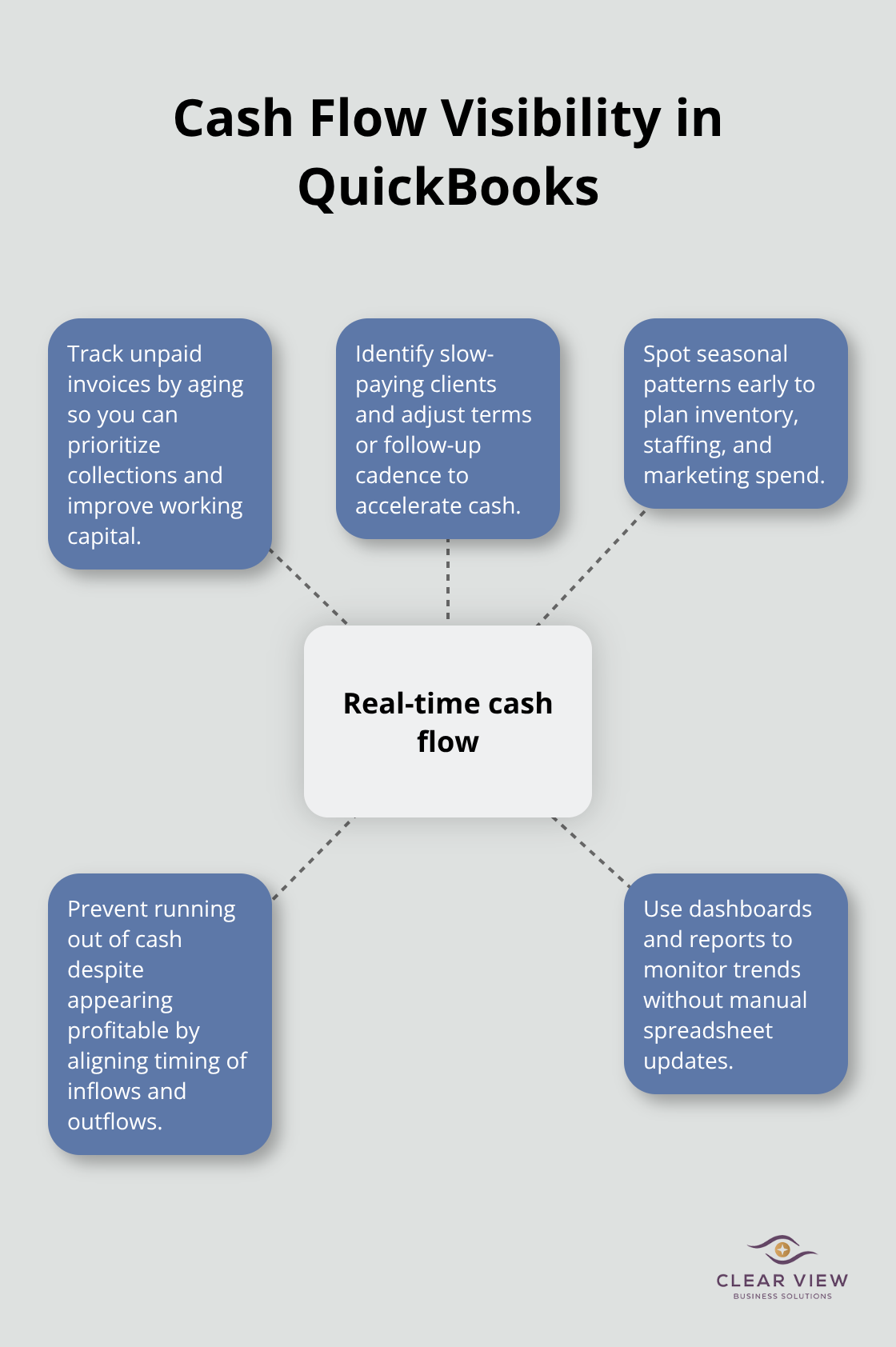
Most small business owners operate blind. They think they’re profitable because sales arrive, but they don’t track when money actually reaches the bank or when bills come due. QuickBooks shows you cash flow in real time through its dashboard and reports. You see unpaid invoices aging over 30 days, you identify which clients pay slowly, and you understand seasonal patterns in your business (patterns that spreadsheets hide until it’s too late). This visibility prevents the most dangerous mistake small business owners make: running out of cash while appearing profitable on paper.
The foundation you build in QuickBooks determines whether the software works for you or against you. A properly configured chart of accounts (the backbone of your financial records) means your reports actually reflect reality. Incorrect setup forces you to reclassify transactions later, wasting the time QuickBooks was supposed to save. When tax time arrives, organized records reduce accountant fees and stress significantly. Proper QuickBooks setup forms the foundation of sound financial management, and the next section walks you through the setup process so you establish the right foundation from the start.
Your first week in QuickBooks determines whether you spend hours fixing mistakes later or move forward confidently. Start with company profile configuration, not by importing data or creating transactions. Open QuickBooks and navigate to Settings, then Company Settings. Enter your business legal name, industry type, and fiscal year. This step takes 15 minutes and prevents confusion when accountants or tax professionals review your records later. Select your industry carefully because QuickBooks uses this to suggest a default chart of accounts tailored to your business type.
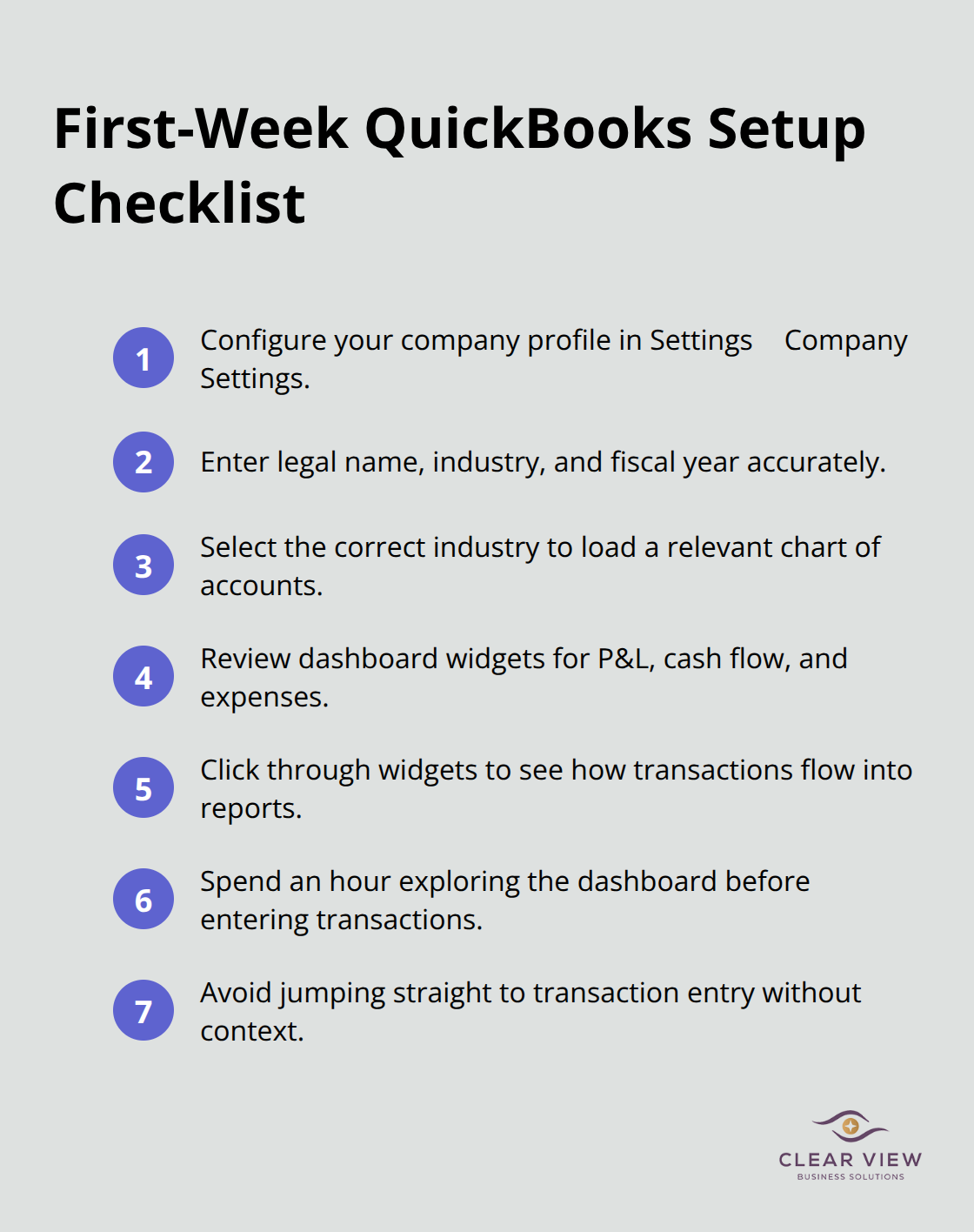
A service business needs different account categories than retail, and QuickBooks knows this. Once the basic profile is complete, move to the dashboard. The dashboard shows your profit and loss summary, cash flow, and expense breakdown at a glance. Most beginners skip the dashboard and jump straight to transaction entry, which means they never see the financial picture they’re actually creating. Spend an hour exploring what each widget shows. Click through to understand how transactions flow from your bank account into reports. This foundation prevents the costly mistake of entering transactions correctly but not understanding what they mean for your business health.
The chart of accounts is where most beginners fail, and it’s fixable only through painful reclassification later. Your chart of accounts is the complete list of categories where every dollar either enters or leaves your business. QuickBooks provides a default list based on your industry, but the default is generic. Instead of accepting it, customize it to match how you actually run your business. If you have multiple revenue streams, create separate income accounts for each instead of lumping everything into one account. A consultant who does both hourly work and product sales needs separate accounts to understand which revenue stream is more profitable.
Add accounts that matter to your decision-making, not just accounts that sound official. If you spend significant money on a specific expense category, give it its own account. If you barely spend anything on a category, leave it out. The chart of accounts should reflect your business reality, not textbook accounting. Once you’ve customized the default list, resist the urge to add more accounts later when you think of something new. Adding accounts mid-year creates reporting confusion because some months use one account and other months use another. Spend two hours now getting this right rather than spending 20 hours later fixing categorization errors.
Test the chart of accounts with sample transactions before you use it with real money. Confirm that reports look correct and that your account structure actually captures the financial information you need. This practice run reveals problems while you still have time to adjust without disrupting your real records. Once you’ve validated the setup, you’re ready to move into the core skills that transform raw data into actionable financial insights.
Recording transactions with correct account categorization is where most beginners stumble, and it’s the one place where small mistakes compound into massive reporting disasters. When you enter income, QuickBooks needs to know whether money arrived as a payment for services, a product sale, or a loan. Each goes into a different income account you created in your chart of accounts. The mistake beginners make is entering everything as income without distinguishing between revenue types. Six months later, you can’t tell which part of your business actually generates profit. Enter every transaction with the same discipline you’d use if your accountant was watching over your shoulder. When a client pays you, categorize the amount to the correct income account immediately. When you spend money, categorize it to the correct expense account rather than dumping everything into a miscellaneous category. This takes an extra 30 seconds per transaction but saves 10 hours during tax season when your accountant doesn’t have to reclassify chaos. Most beginners think they’ll organize transactions later. They won’t. The moment you enter a transaction, categorize it correctly or accept that you’ll spend significant time fixing it later.
Bank reconciliation monthly is the most ignored skill, and it’s exactly why small business owners don’t notice fraud, errors, or missing payments until they’re catastrophic. Reconciliation means comparing what QuickBooks says you have in the bank against what your actual bank statement shows. Open your bank statement, pull up the reconciliation tool in QuickBooks, and match each transaction. This takes 30 to 45 minutes if your accounts are organized and your transactions are categorized correctly. If reconciliation takes three hours, your data entry has problems. Reconciliation reveals mistakes immediately rather than letting them compound.
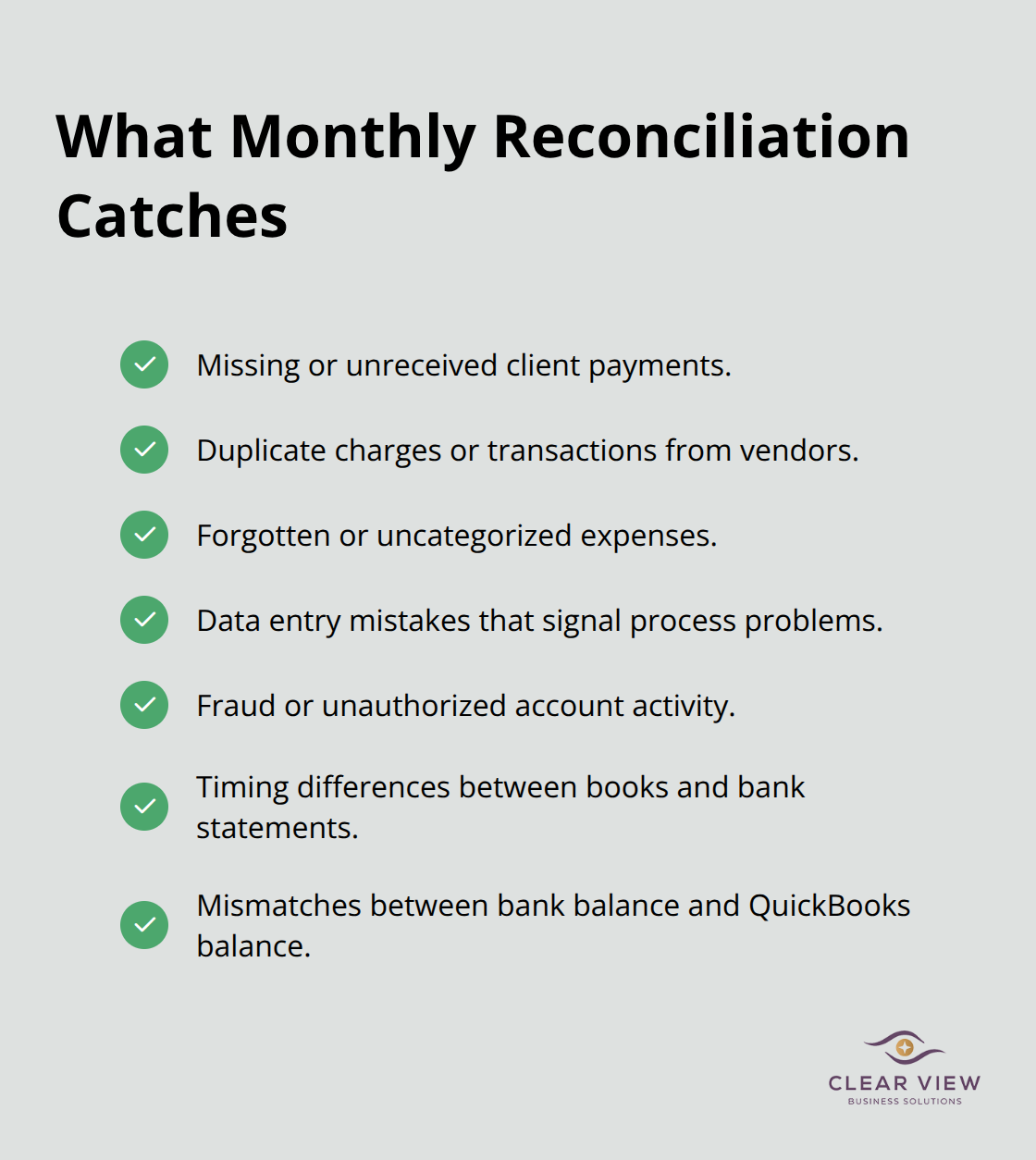
A client payment you never received, a duplicate charge from a vendor, or a forgotten expense all surface during reconciliation. The National Federation of Independent Business reports that cash flow errors destroy small businesses more often than poor sales do. Reconciliation catches those errors before they become disasters.
You must reconcile credit cards the same way you reconcile your main operating account. Many beginners reconcile their main operating account but ignore credit cards, which means they never see how much debt they’re actually carrying or what they spend on categories like travel or meals. Reconcile everything monthly, and you’ll catch problems while they’re still small and fixable. This practice (often overlooked by new users) transforms credit card spending from a mystery into actionable data that shapes your financial decisions.
Once your transactions are entered correctly and your accounts reconcile, reports transform raw data into answers. Pull your profit and loss statement monthly, not just at tax time. This shows whether your business is actually profitable or whether you’re fooling yourself about revenue. Compare this month to last month and to the same month last year. A seasonal dip in January might be normal for your industry, or it might signal a problem. You won’t know without looking at the data. The balance sheet tells you what your business owns and owes, which most beginners ignore completely. A healthy balance sheet shows assets (cash, equipment, inventory) exceeding liabilities (loans, unpaid bills). If your liabilities are climbing while assets stay flat, your business is going backward. Generate these reports monthly and spend 15 minutes understanding what they show. Don’t just glance at the numbers. Ask yourself whether the results match what you expected. If revenue looks lower than you thought, investigate why. If expenses in one category jumped, find out what happened. Reports are only useful if you actually read them and act on what they reveal. Most small business owners generate reports once a year for taxes, which means they’re flying blind for 12 months. Read your reports monthly, and you’ll make better decisions about spending, pricing, and growth.
You now understand why QuickBooks matters for your small business and how to set it up correctly. The foundation you build through proper chart of accounts configuration, accurate transaction entry, and monthly reconciliation transforms QuickBooks from software into a financial management system that actually works. Most small business owners skip these fundamentals and pay for it later with tax season chaos, missed deductions, and zero visibility into profitability.
The real power emerges when you commit to reading your reports monthly and acting on what they reveal. A profit and loss statement tells you whether your business is actually profitable, while a balance sheet shows whether you build wealth or accumulate debt. These reports function as your business dashboard, and ignoring them means you operate blind to the financial reality you create every single day.
Your next step depends on your learning style and comfort level with software. If you prefer structured guidance, QuickBooks training for beginners through formal programs accelerates your confidence significantly, while hands-on practice in a sandbox environment prevents costly mistakes before you touch real data. Contact Clear View Business Solutions to discuss how professional bookkeeping guidance and training frees up your time for actual business growth.




At Clear View Business Solutions, we know you want your business to prosper without having to worry about whether you are paying more in taxes than you should or whether your business is set up correctly. The problem is it's hard to find a trusted advisor who can translate financial jargon to layman's terms and who can actually help you plan for better results.
We believe it doesn't have to be this way! No business owner should settle for working with a CPA firm that falls short of understanding what you want to achieve and how to help you get there.
Northwest Location:
7530 N. La Cholla Blvd., Tucson, AZ 85741
Central Location:
2933 N Campbell Avenue, Tucson, AZ 85719
© 2026 Clear View Business Solutions. All Rights Reserved.
At Clear View Business Solutions, we know you want your business to prosper without having to worry about whether you are paying more in taxes than you should or whether your business is set up correctly. The problem is it's hard to find a trusted advisor who can translate financial jargon to layman's terms and who can actually help you plan for better results.
We believe it doesn't have to be this way! No business owner should settle for working with a CPA firm that falls short of understanding what you want to achieve and how to help you get there. With over 20 years of experience serving hundreds of business owners like you, our team of experts combines financial expertise and proactive communication with our drive to help each client achieve results and have fun along the way.
Here's how we do it:
Discover: We start with a consultation to understand your specific goals, what's holding you back, and what success looks like for you.
Strategize & Optimize: Together, we design a customized strategy that empowers you to progress toward your goals, and we optimize our communication as partners.
Thrive: You enjoy a clear view of your business and your financial prosperity.
Schedule a consultation today, and take the first step toward being able to focus on your core business again without wondering if your numbers are right- or what they mean to your business.
In the meantime, download, "The Business Owner's Essential Guide to Tax Deductions" and make sure you aren't leaving money on the table.