


Nonprofits operate under different financial rules than for-profit businesses. Your organization needs bookkeeping basics for nonprofits that address IRS compliance, donor accountability, and fund tracking.
We at Clear View Business Solutions know that strong financial management directly supports your mission. This guide covers the essential practices that keep your nonprofit running smoothly and transparently.
The IRS scrutinizes nonprofit financial records far more intensely than small business bookkeeping. Form 990, which nonprofits file annually, requires detailed breakdowns of revenue sources, program expenses, and administrative costs. Nonprofits must file by the 15th day of the fifth month after year-end-a December 31 year-end means filing by May 15. Missing this deadline or submitting inaccurate information triggers penalties and can jeopardize your 501(c)(3) status. Many states also require separate charitable solicitation registrations and annual filings. Nonprofits face stricter documentation standards than for-profits because donors, grant makers, and regulators demand proof that funds went toward the stated mission. A single misclassified grant or mislabeled donation can snowball into audit findings or forced fund returns.
Most nonprofits receive money with strings attached. A grant for youth programs cannot legally be spent on administrative overhead. A donor restriction on educational initiatives means those dollars stay separate from unrestricted operational funds. Yet many nonprofits track restricted and unrestricted funds in the same accounting bucket, creating invisible compliance failures. The National Council of Nonprofits emphasizes that boards have a fiduciary duty to adopt formal financial policies that clarify how restricted funds are managed. Without this clarity, staff and board members operate on assumptions rather than documented procedures, which increases fraud risk and audit exposure. Proper fund accounting requires a chart of accounts that separates restricted grants, temporarily restricted contributions, and permanently restricted endowments from day-to-day operating funds. QuickBooks Online Plus and Advanced versions support this multi-fund structure, allowing you to run reports that prove compliance to auditors and grant makers.
Donor trust hinges on financial transparency. When you publish a Statement of Functional Expenses alongside your annual report, donors see exactly what percentage of their contribution went to programs versus overhead. Many nonprofits attach this statement to annual reports specifically to provide verifiable insights into spending patterns. Research from Propel Nonprofits identifies transparency and accurate financial reporting as core characteristics of financially healthy nonprofits. Yet incomplete records, outdated charts of accounts, and late reconciliations create documentation gaps that undermine credibility. Missing receipts or vague expense entries signal poor controls and can deter major donors or disqualify your organization from grants. The conflict of interest policy-which the National Council of Nonprofits identifies as the most important financial policy-requires clear oversight of executive compensation and vendor relationships. Without documented policies and clean records, you cannot demonstrate to stakeholders that assets truly support the mission and donor intent.
Your chart of accounts forms the foundation for all of this transparency and compliance work.
Your chart of accounts is not a one-size-fits-all template you copy from a competitor or download from a generic nonprofit site. The Unified Chart of Accounts provides a standardized framework, but most small to mid-sized nonprofits customize it heavily to match their actual operations. If you operate youth programs, mental health services, and community education, your revenue and expense categories must reflect those distinct activities separately. This separation lets you answer critical questions: How much did the youth program actually cost? Did the mental health initiative stay within budget? Without this specificity, your board cannot make informed decisions and your grant reports will lack the detail funders demand.
Start by listing every revenue stream your organization receives-individual donations, corporate gifts, earned income from services, investment returns, and grants. Then break your expenses into program costs, administrative overhead, and fundraising.
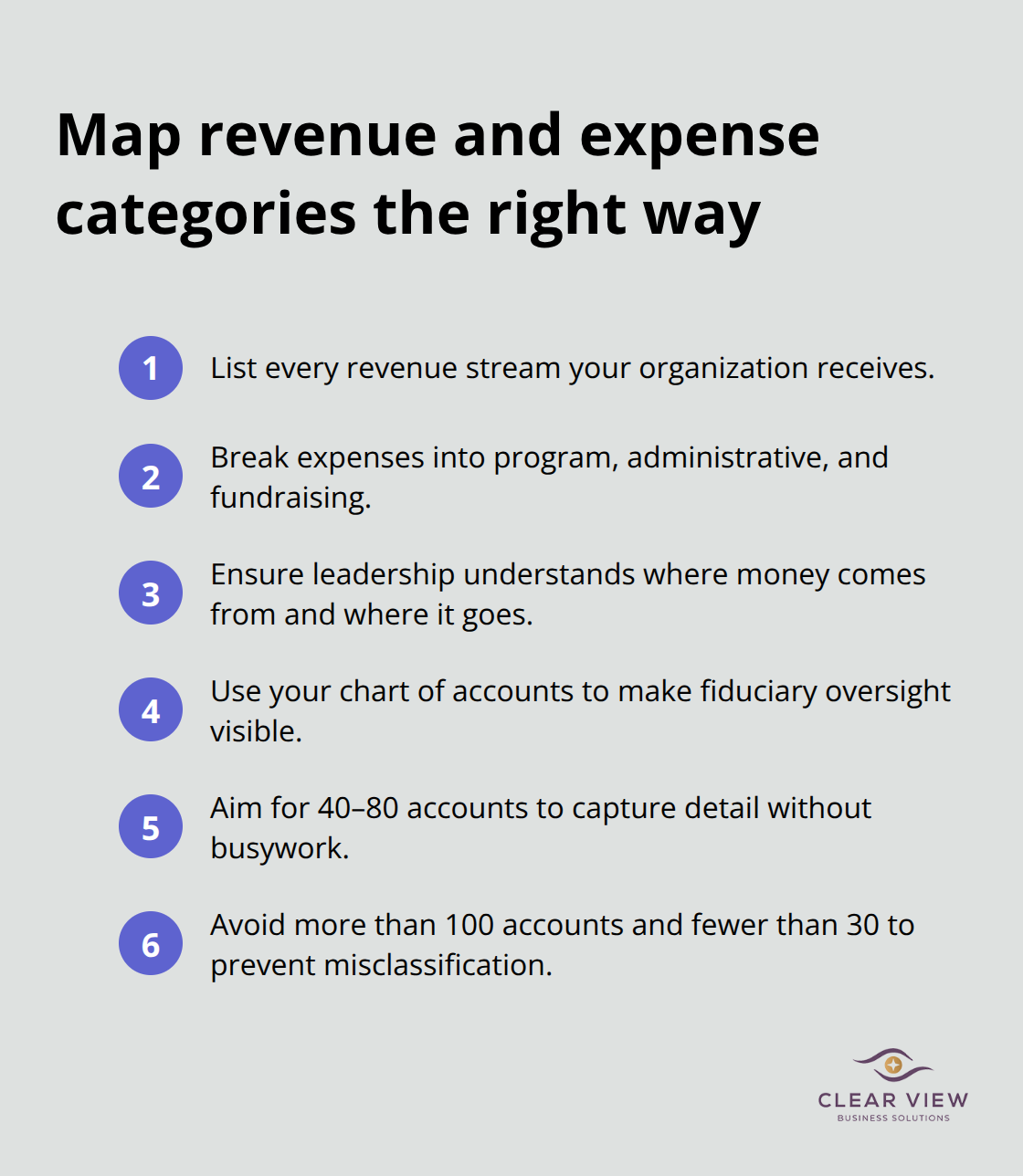
The National Council of Nonprofits emphasizes that boards have a fiduciary duty to understand where money comes from and where it goes. Your chart of accounts is how you make that duty visible. Most nonprofits need between 40 and 80 accounts to capture this level of detail without creating busywork. More than 100 accounts suggests you are over-categorizing; fewer than 30 means you are hiding important information in catch-all buckets.
When you record a donation restricted to youth programs, it lands in a separate account from unrestricted operating funds. When you pay a staff member whose time splits between two programs, you allocate that salary across the correct accounts. This daily discipline prevents the revenue misclassification errors that trigger IRS scrutiny and grant compliance failures. Accounting software like QuickBooks Online Plus and Advanced handle this multi-account structure efficiently and let you run reports that prove fund compliance to auditors instantly.
Record every transaction with a clear note-not just the vendor name but what the expense actually covered. A receipt labeled only as Office Depot tells you nothing; one marked “Office Depot, printer ink for youth program” creates an audit trail. Many nonprofits fail audits not because they spent money incorrectly but because they cannot prove how it was spent. In-kind donations-equipment, volunteer hours, professional services donated-must be recorded at fair market value with supporting documentation. If a lawyer donates 20 hours of legal work at $250 per hour, that is a $5,000 in-kind contribution that strengthens your financial statements and demonstrates community support to donors.
Reconcile your bank statements monthly, not quarterly or annually. The longer you wait, the harder it is to track down discrepancies and catch fraudulent activity. Bank reconciliation also catches your own errors-transposed numbers, duplicate entries, forgotten expenses that throw off your budget. Once your accounts are set up and reconciled, build a realistic budget from actual historical data. Do not guess. Use last year’s spending patterns, adjust for known changes, and set financial targets that guide monthly decisions. Your budget is a roadmap, and comparing actual results to budget every month tells you whether you are on track or need to adjust spending before year-end surprises arrive. With a solid chart of accounts in place, you can now focus on the specific tools and systems that automate this work and keep your records audit-ready.
QuickBooks Online Plus and Advanced are the only platforms that handle restricted funds and multi-program reporting without custom workarounds. Standard QuickBooks Online cannot separate restricted grants from unrestricted donations in a way that survives an audit. Plus or Advanced handle fund accounting natively, letting you track donor restrictions and grant compliance in real time. Both versions cost between $30 and $85 per month depending on features, which is negligible against the cost of a single audit finding or grant clawback. The software produces the Statement of Functional Expenses and Statement of Activities that donors and funders expect, and you can run reports instantly that prove grant funds were spent exactly as promised. If your nonprofit receives more than five grants per year or has multiple program streams, the investment in Plus or Advanced pays for itself in one corrected audit finding.
Most nonprofits make the mistake of importing their old chart of accounts directly into QuickBooks without restructuring it first. Your legacy system probably lumps youth programs and community education into a single expense account. QuickBooks will happily recreate that mistake, leaving you unable to report program costs separately. Instead, rebuild your chart of accounts in QuickBooks from scratch using the structure you documented in your chart of accounts work. Create separate accounts for each program revenue stream and expense category. Link bank accounts and credit cards directly to QuickBooks so transactions import automatically, which eliminates data entry errors and reconciliation delays. Turn on multi-user access so your finance team and program directors can enter their own expenses without bottlenecking through one person. Configure QuickBooks to require a note on every transaction and to flag transactions over a dollar threshold for approval. These controls cost nothing but prevent misallocations and create an audit trail that regulators respect.
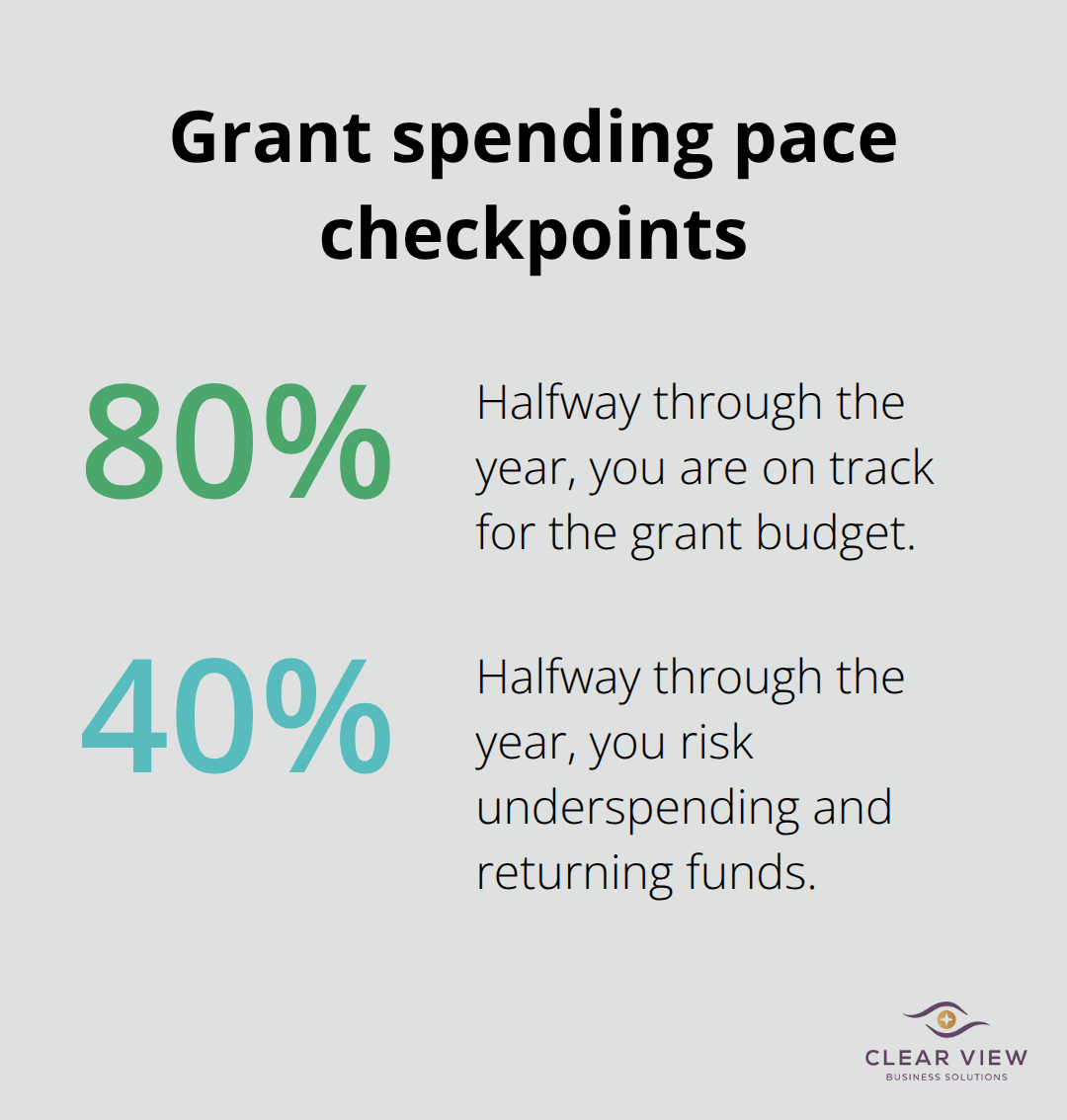
Grants arrive with restrictions that your bookkeeping must honor in real time, not retroactively. A $50,000 education grant requires you to track every dollar spent on education programs separately from unrestricted funds. If you spend $55,000 on education programs but the grant only covers $50,000, you must document that the extra $5,000 came from unrestricted funds. Auditors and grant makers will demand this proof. Set up a separate cost code or project code in QuickBooks for each grant, then assign all program expenses to that code as they occur. At month-end, run a grant-by-grant spending report and compare actual costs to the grant budget. If the youth program grant is 80 percent spent halfway through the year, you are on track. If it is 40 percent spent, you may underspend and have to return funds.
This monthly discipline prevents the year-end surprises that force nonprofits to rush spending or face compliance failures. Large grants often require quarterly or monthly financial reporting to the funder. QuickBooks can generate these reports automatically if you set up your accounts correctly. The software exports data into Excel or PDF formats that funders accept, so you spend time interpreting results, not reformatting data.
Independent audits are standard for nonprofits receiving government grants or raising more than $750,000 annually. Auditors do not just verify that your numbers add up; they test whether your controls prevent fraud and whether your spending matches donor intent. An auditor will pull a random sample of 30 transactions and demand receipts, invoices, approval documentation, and proof that the expense was coded correctly. If you cannot produce a receipt or the receipt does not match the account coding, that transaction fails the test. Enough failures and the auditor issues a finding that damages your credibility with funders and future donors. Prepare for audits now by strengthening documentation and contract management. Create a folder for each month and file every receipt, invoice, and approval email there. Use a consistent naming convention so you can find documentation quickly. When the auditor requests support for the $2,500 software license purchased in March, you retrieve the invoice in 30 seconds instead of searching for 30 minutes.
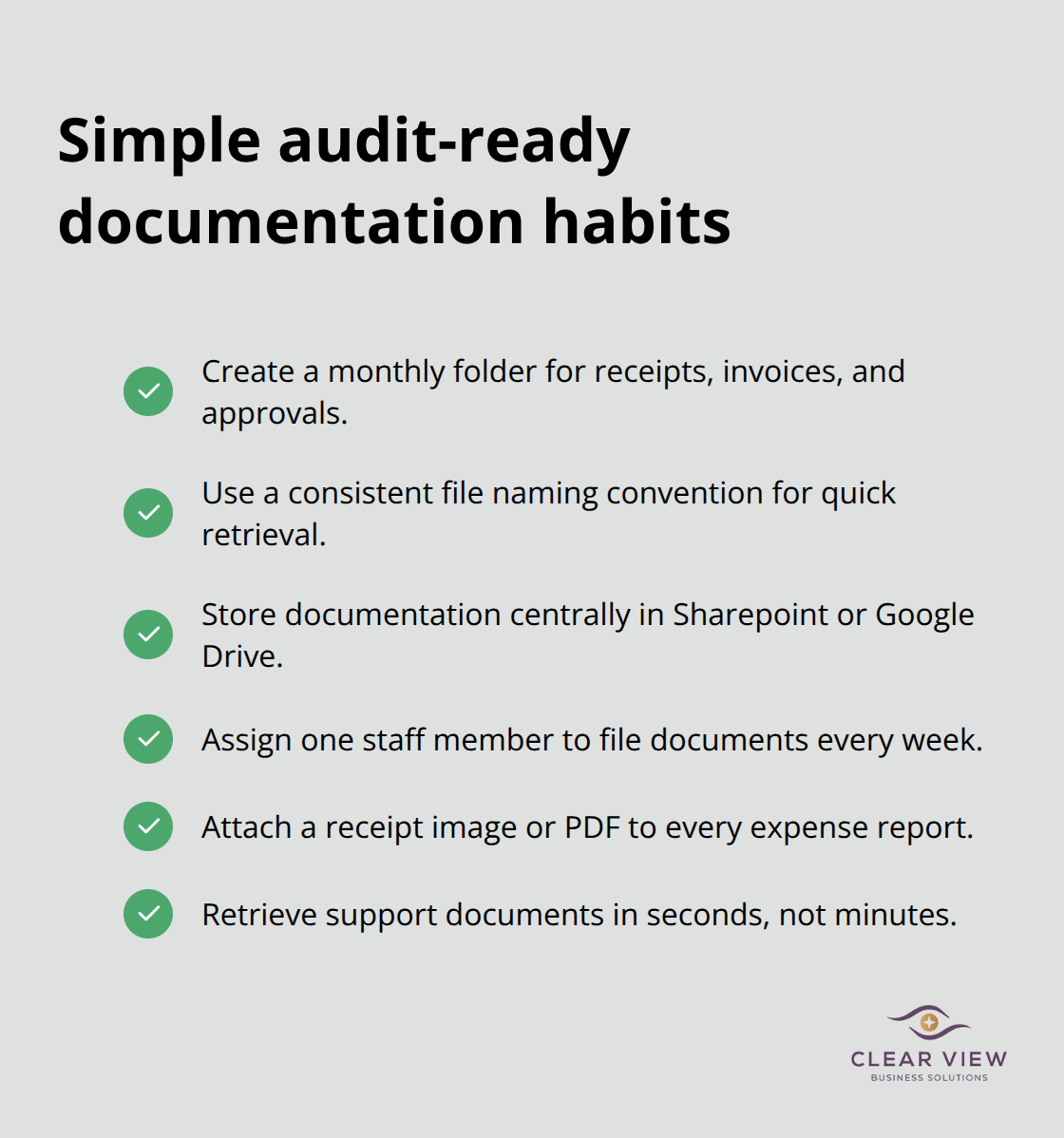
Many nonprofits store receipts in a shoebox or scattered across email inboxes. Auditors view this as a control deficiency that suggests poor financial oversight. Investing in a simple document management system like Sharepoint or Google Drive costs nothing and transforms audit readiness from stressful to routine. Assign one staff member to file documents weekly so backlogs never accumulate. Train your team to include a receipt photo or PDF with every expense report submitted. This habit takes three weeks to establish and eliminates 80 percent of missing documentation problems.
Bookkeeping basics for nonprofits form the operational backbone that lets your organization spend money on mission instead of scrambling to explain where it went. A properly structured chart of accounts, monthly reconciliations, and clear documentation of every transaction create the financial discipline that donors trust and auditors respect. When your records are clean and your fund tracking is accurate, you answer grant compliance questions in minutes instead of weeks.
Your next step is to assess where your nonprofit stands today. Do you have a chart of accounts that separates programs and restricted funds? Are your bank statements reconciled monthly? Can you produce a Statement of Functional Expenses that shows donors exactly where their money went? If the answer to any of these questions is no, start there.
We at Clear View Business Solutions help nonprofits implement strong financial systems through comprehensive bookkeeping and accounting services. Whether you need QuickBooks setup, grant accounting support, or full-cycle bookkeeping, we work with your team to build systems that survive audits and support growth.




At Clear View Business Solutions, we know you want your business to prosper without having to worry about whether you are paying more in taxes than you should or whether your business is set up correctly. The problem is it's hard to find a trusted advisor who can translate financial jargon to layman's terms and who can actually help you plan for better results.
We believe it doesn't have to be this way! No business owner should settle for working with a CPA firm that falls short of understanding what you want to achieve and how to help you get there.
Northwest Location:
7530 N. La Cholla Blvd., Tucson, AZ 85741
Central Location:
2933 N Campbell Avenue, Tucson, AZ 85719
© 2026 Clear View Business Solutions. All Rights Reserved.
At Clear View Business Solutions, we know you want your business to prosper without having to worry about whether you are paying more in taxes than you should or whether your business is set up correctly. The problem is it's hard to find a trusted advisor who can translate financial jargon to layman's terms and who can actually help you plan for better results.
We believe it doesn't have to be this way! No business owner should settle for working with a CPA firm that falls short of understanding what you want to achieve and how to help you get there. With over 20 years of experience serving hundreds of business owners like you, our team of experts combines financial expertise and proactive communication with our drive to help each client achieve results and have fun along the way.
Here's how we do it:
Discover: We start with a consultation to understand your specific goals, what's holding you back, and what success looks like for you.
Strategize & Optimize: Together, we design a customized strategy that empowers you to progress toward your goals, and we optimize our communication as partners.
Thrive: You enjoy a clear view of your business and your financial prosperity.
Schedule a consultation today, and take the first step toward being able to focus on your core business again without wondering if your numbers are right- or what they mean to your business.
In the meantime, download, "The Business Owner's Essential Guide to Tax Deductions" and make sure you aren't leaving money on the table.